

Skills are the building blocks of the VLM Run platform. A skill is a modular, reusable capability that tells Orion exactly what to extract from a visual input and how to structure the output. Once created, a skill can be referenced from any endpoint (images, PDFs, video, audio, or agent workflows), producing consistent, schema-validated results every time.
Skills Lifecycle
Create
Define a new skill through a chat conversation or by uploading a skill package. Specify the task description, output schema, and test it against sample files.
Edit
Refine the skill’s prompt, schema, or metadata from the platform. Publish new versions without breaking existing integrations. Callers on a pinned version continue working unchanged.
Navigating Skills
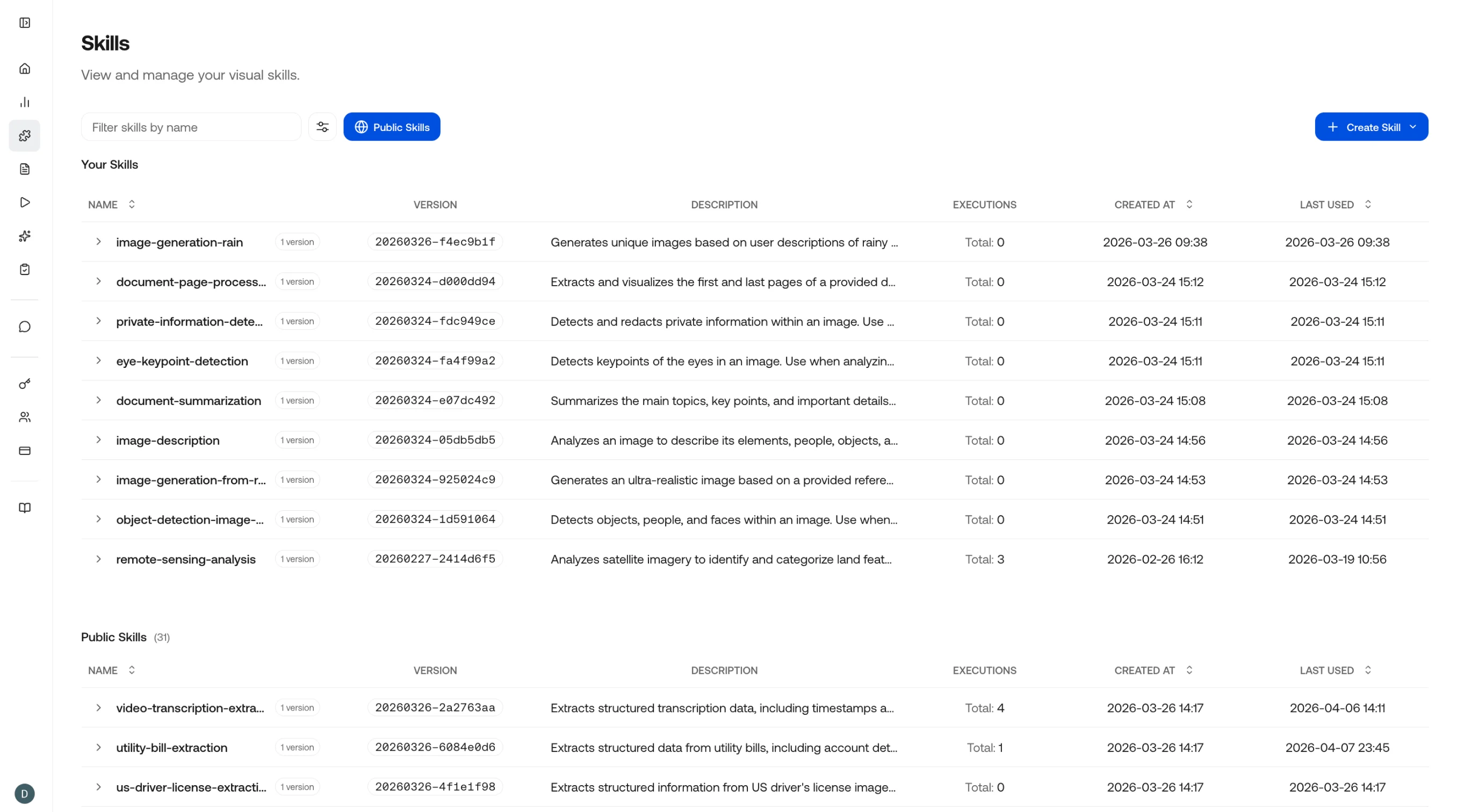
Configuring Skills
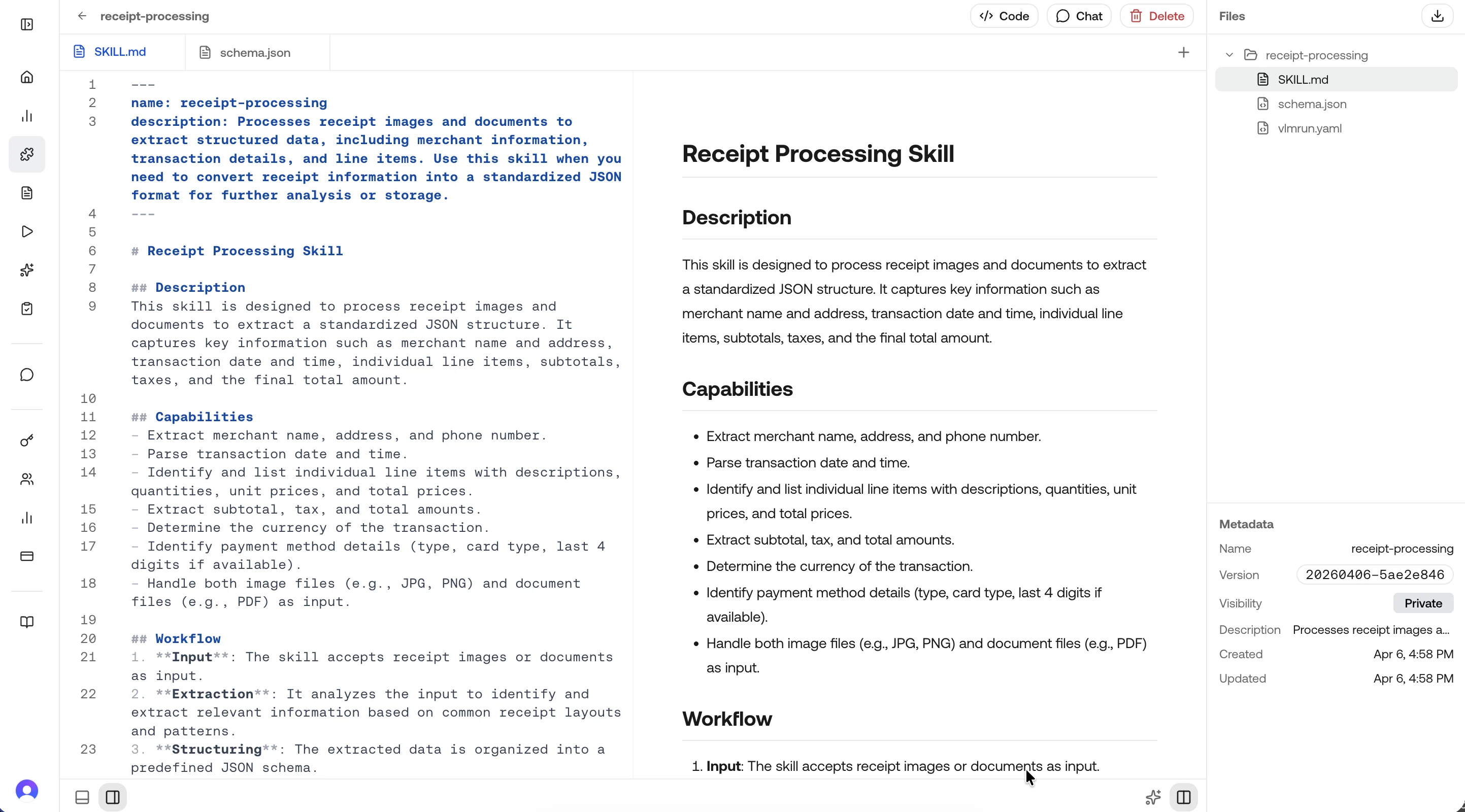
Best Practices
Dive deeper
Create a Skill
Step-by-step guide to creating a skill on the platform.
Edit a Skill
How to update prompts, schemas, and publish new versions.
Use a Skill
Reference skills in chat, API calls, and agent workflows.
Skill Specification
The full specification format: skill.md, vlmrun.yaml, and schema.json.
Version Pinning
Control which version consumers use in production.
Skills via API
Create and manage skills programmatically with the REST API.