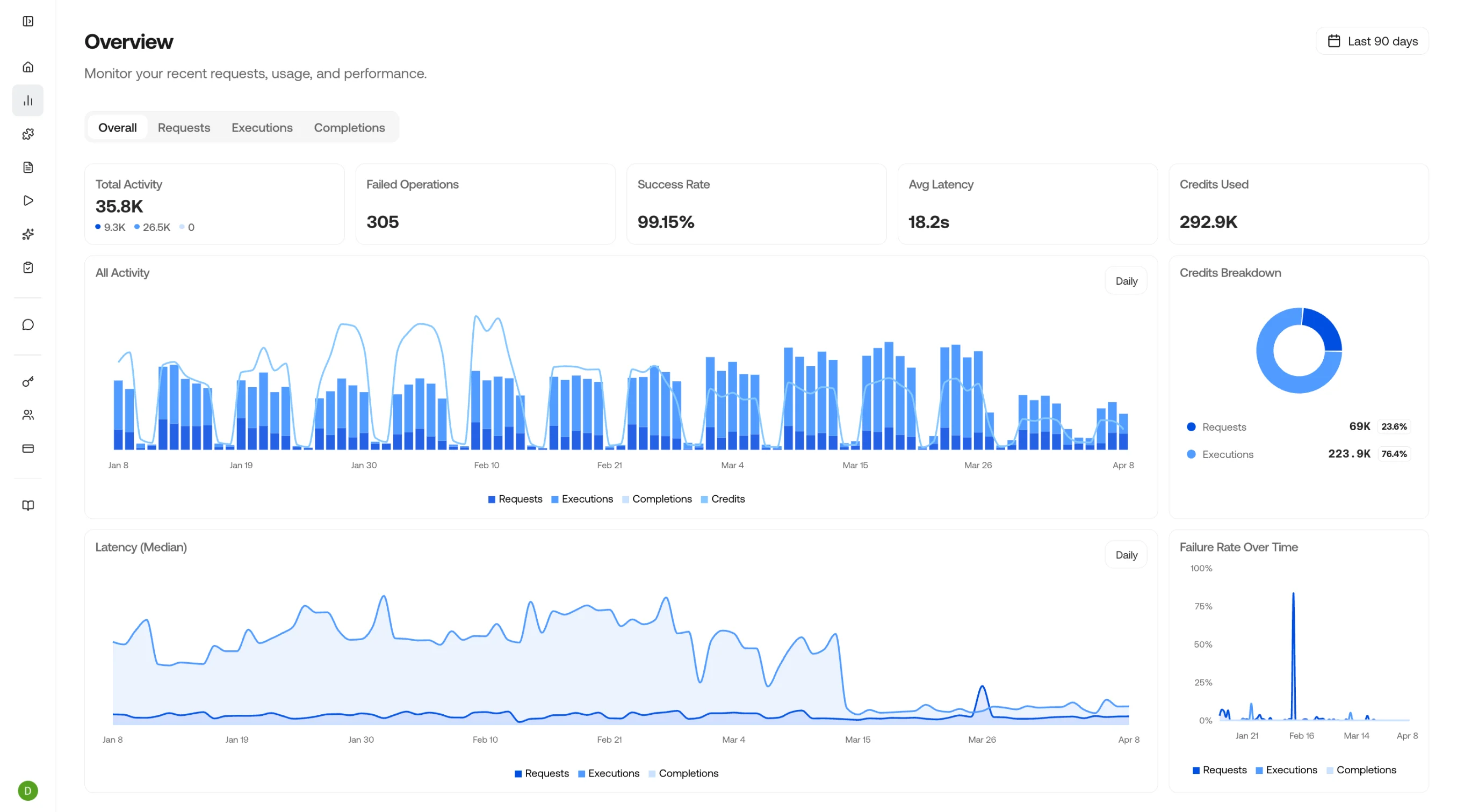
The Overview dashboard gives you a real-time look at your VLM Run platform usage, including total activity, success rate, average latency, and credits used. Track requests, executions, and completions to monitor performance over time.
Observe dashboard overview
Everything you see here is also available through the API. See the API reference to query requests, executions, and completions programmatically.

Filtering

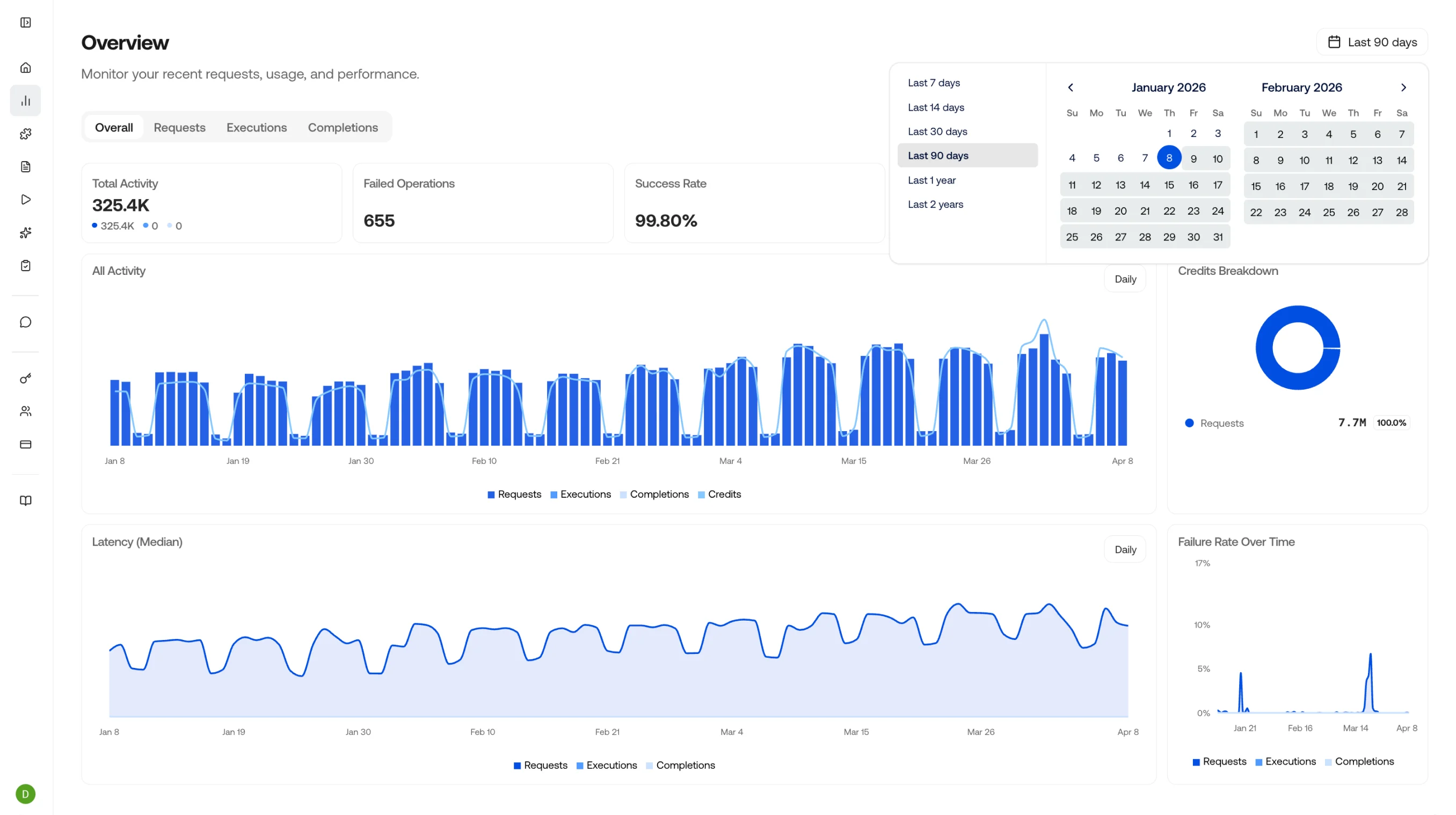
Click the date picker in the top right corner to filter the data to any specific timeframe you want to analyze.
Filter by date range
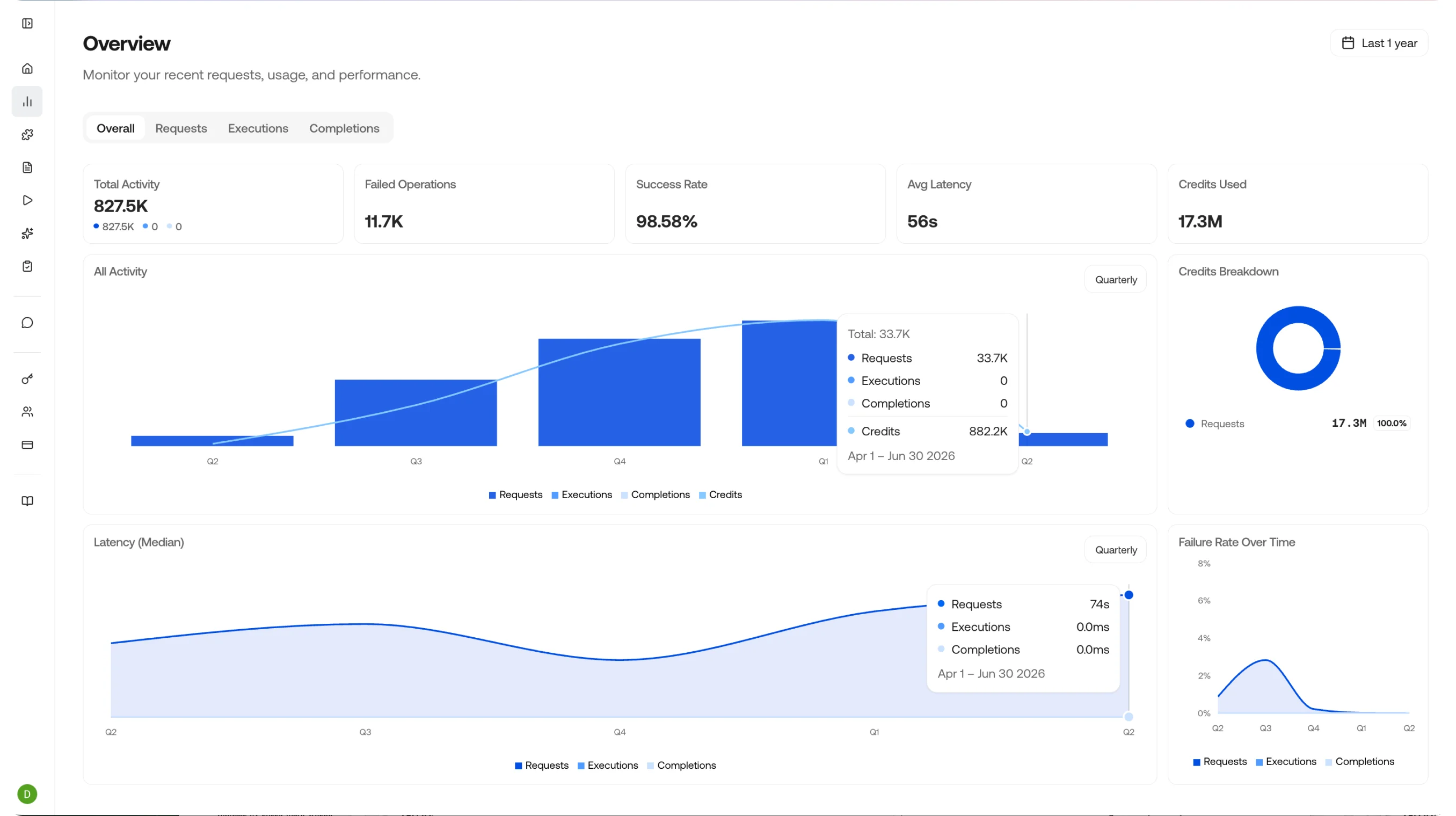
You can also click the grouping button in the top right of the two large charts to change the time grouping - choose from Daily, Weekly, Monthly, Quarterly, or Yearly.
Change chart grouping
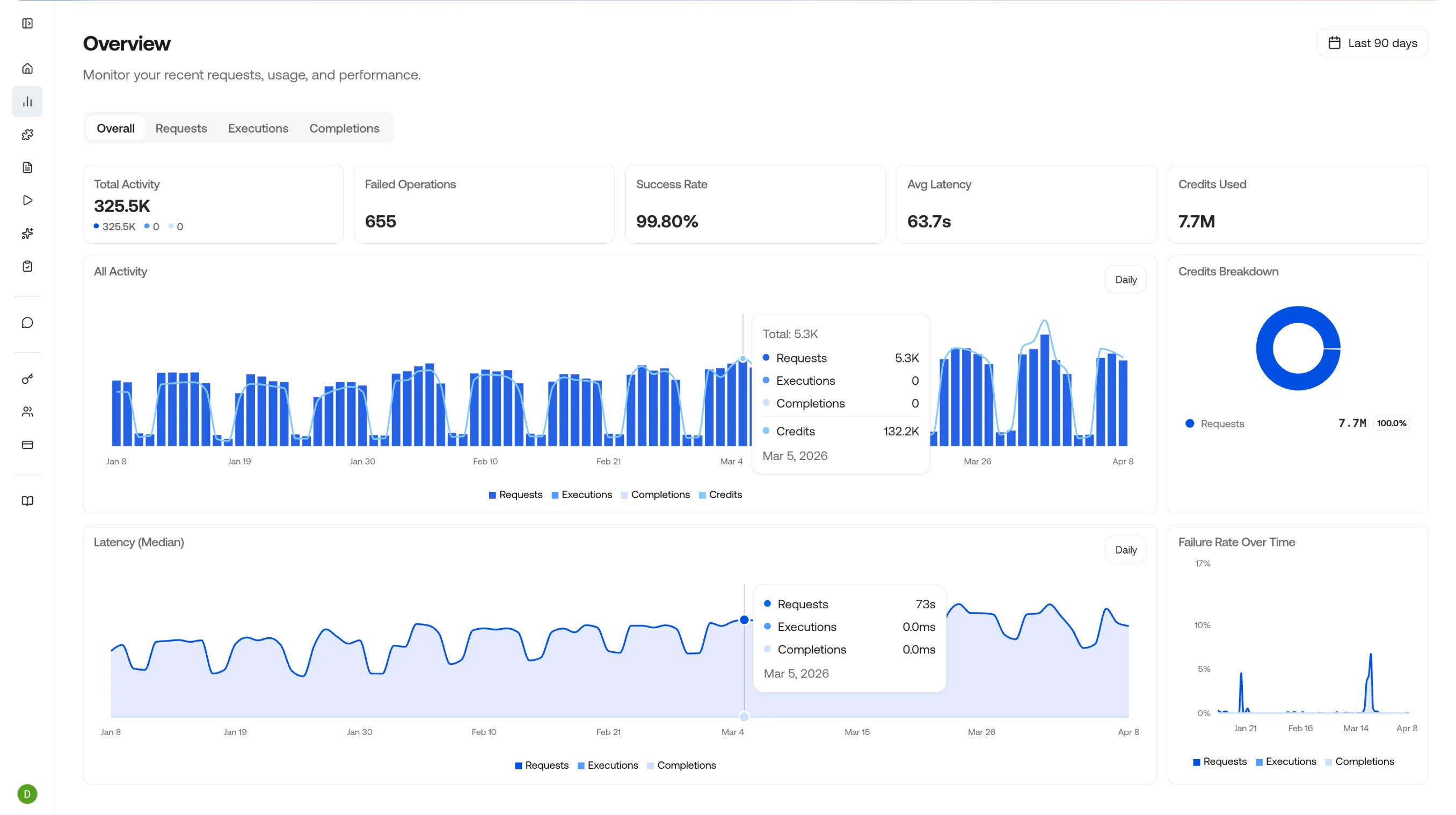
Hover over the chart to see the data breakdown and credits used for each grouped time period.
Hover over chart for breakdown

Drill Down

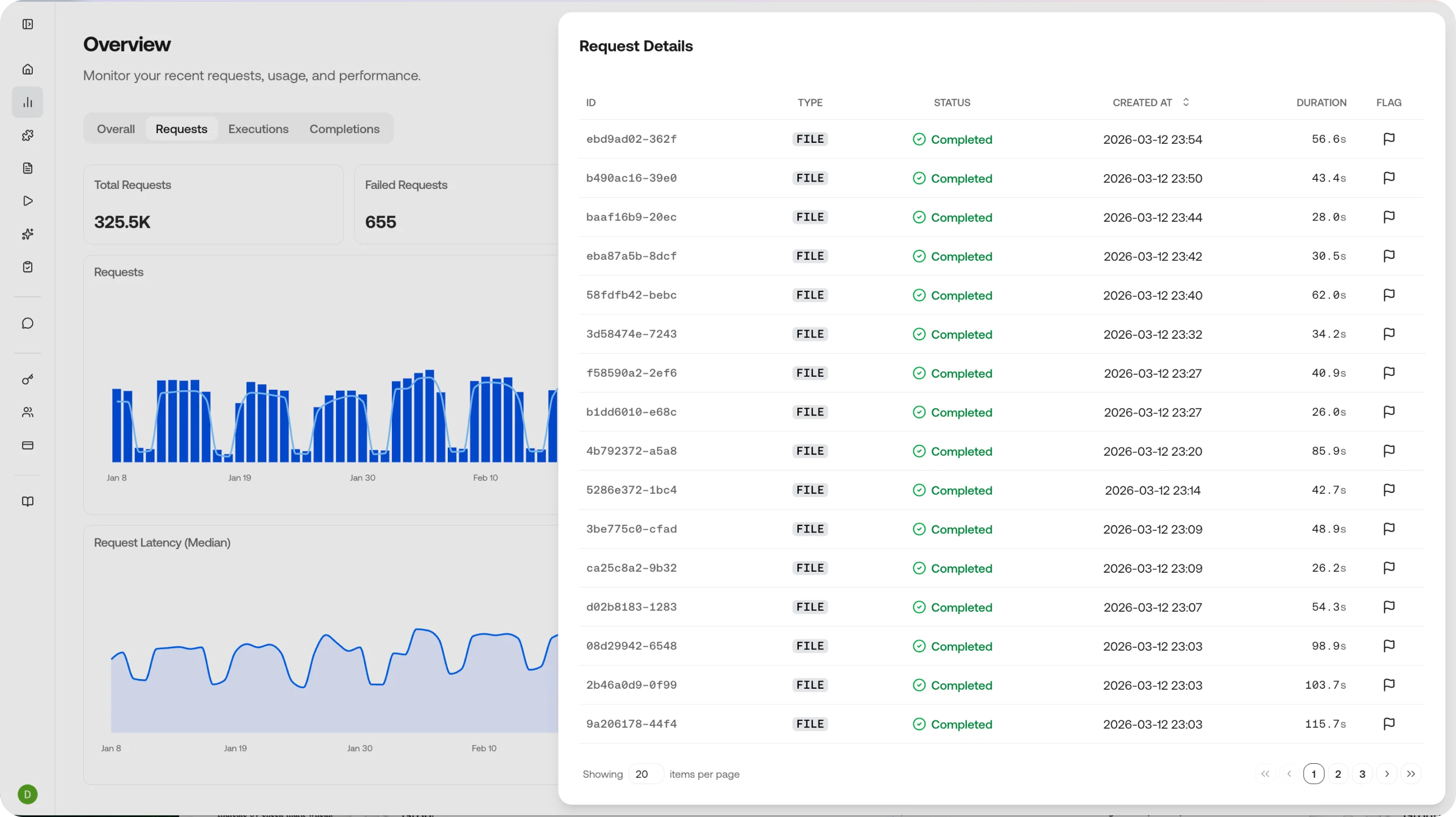
Clicking anywhere on a chart takes you to a drill-down view of that data - an easy way to see the requests, executions, and completions that ran during that time period. Clicking an individual item takes you to its details page.
Drill-down view

Dashboard Metrics

The overview page shows four key indicators at a glance:
MetricWhat it tells you
Total ActivityThe number of requests, executions, and completions in the selected time window
Success RateThe percentage of calls that completed without errors
Average LatencyMean response time across all endpoints, broken down by type
Credits UsedTotal credit consumption with trend over time

Three Views, One Story

Observe is organized into three complementary views that let you drill down from high-level metrics to individual outputs:

Requests

Model requests with status, duration, and cost.

Executions

Agent executions with step-by-step traces, artifacts, and timing.

Completions

Chat completions with model, token usage, and the full input and output payload.

Typical Workflows

Filter Requests by status error, find the failing call, and inspect the request payload and error response. Cross-reference with the Completion to see what the model actually returned.
Filter Requests or Completions by skill name to see how many credits each skill is consuming. Identify expensive skills and optimize prompts or schemas to reduce token usage.
Review Completions across different models or skill versions to compare output quality, latency, and cost. Use this to decide when to promote a new skill version to production.
Check the overview dashboard for success rate drops or latency spikes. Set up alerts via webhooks when metrics cross thresholds.

Requests

View and filter individual API requests.

Executions

Track agent and skill executions.

Completions

Review model completions and outputs.

API Reference

Explore all available API endpoints and responses.