VLM Run platform dashboard
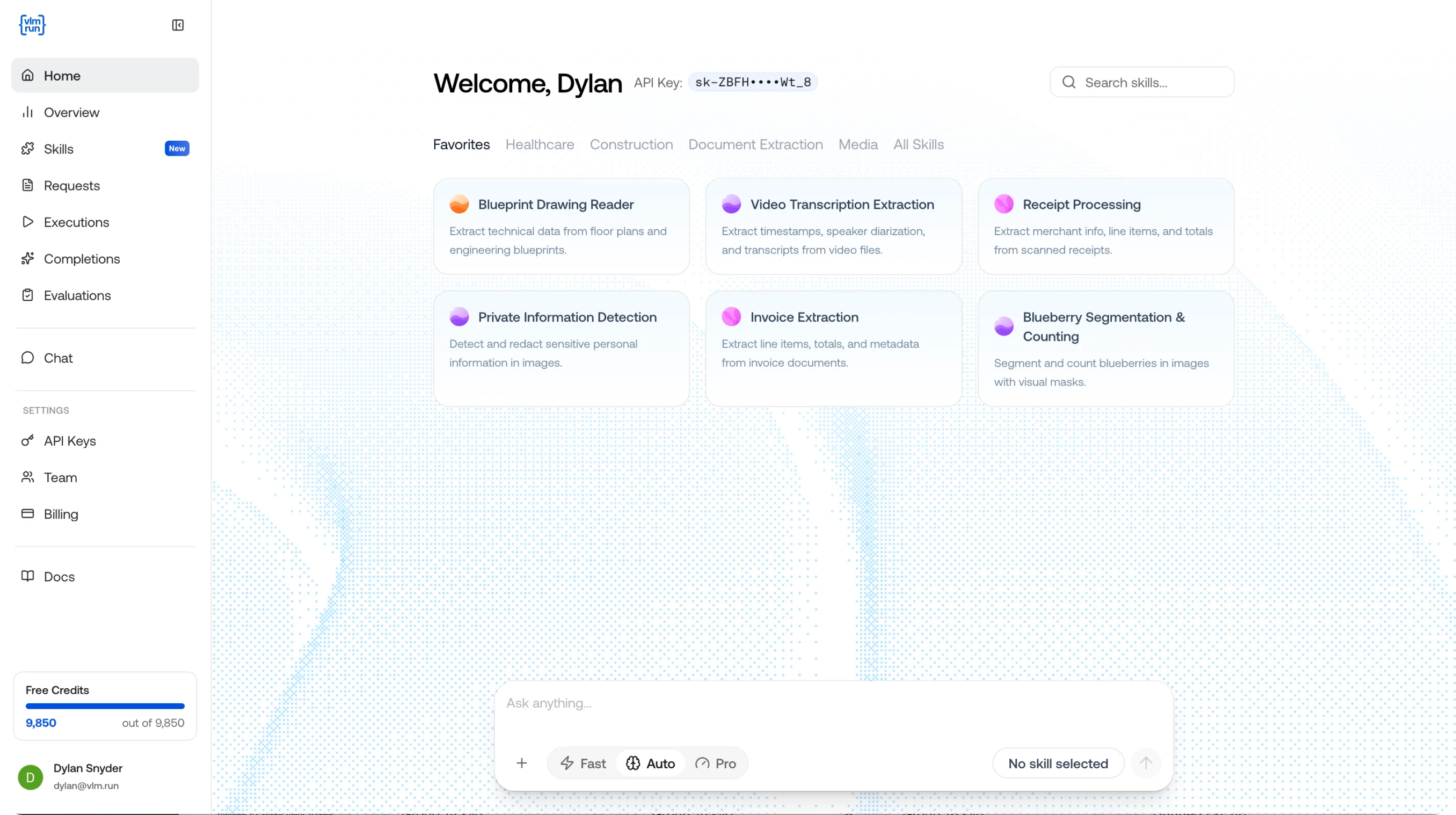
The VLM Run platform is where you interact with, build on, and monitor your visual AI. Whether you’re chatting with Orion to understand a PDF, building a reusable skill for invoice extraction, or tracking the latency and cost of every API call, it all happens here. The platform is organized around three pillars:
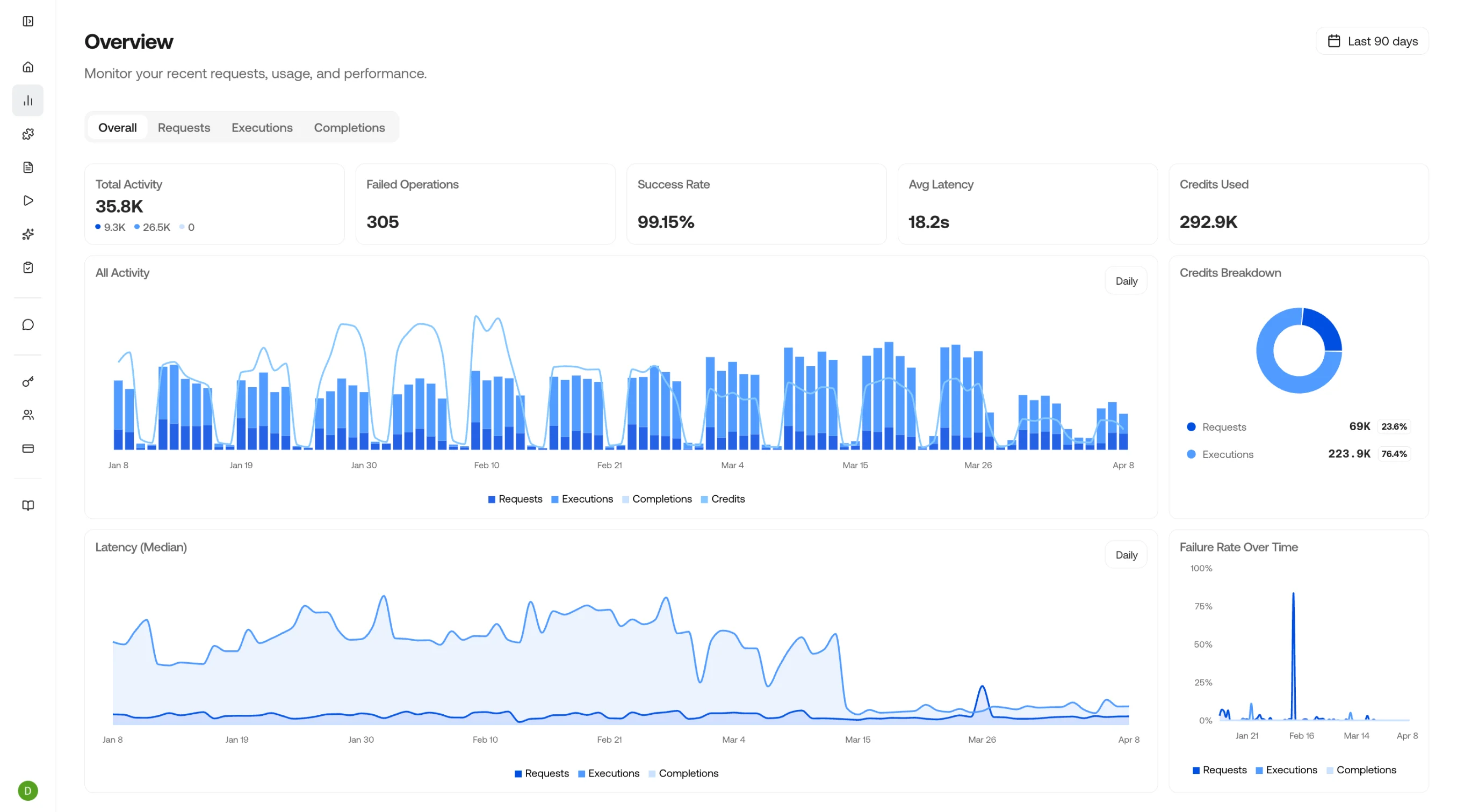
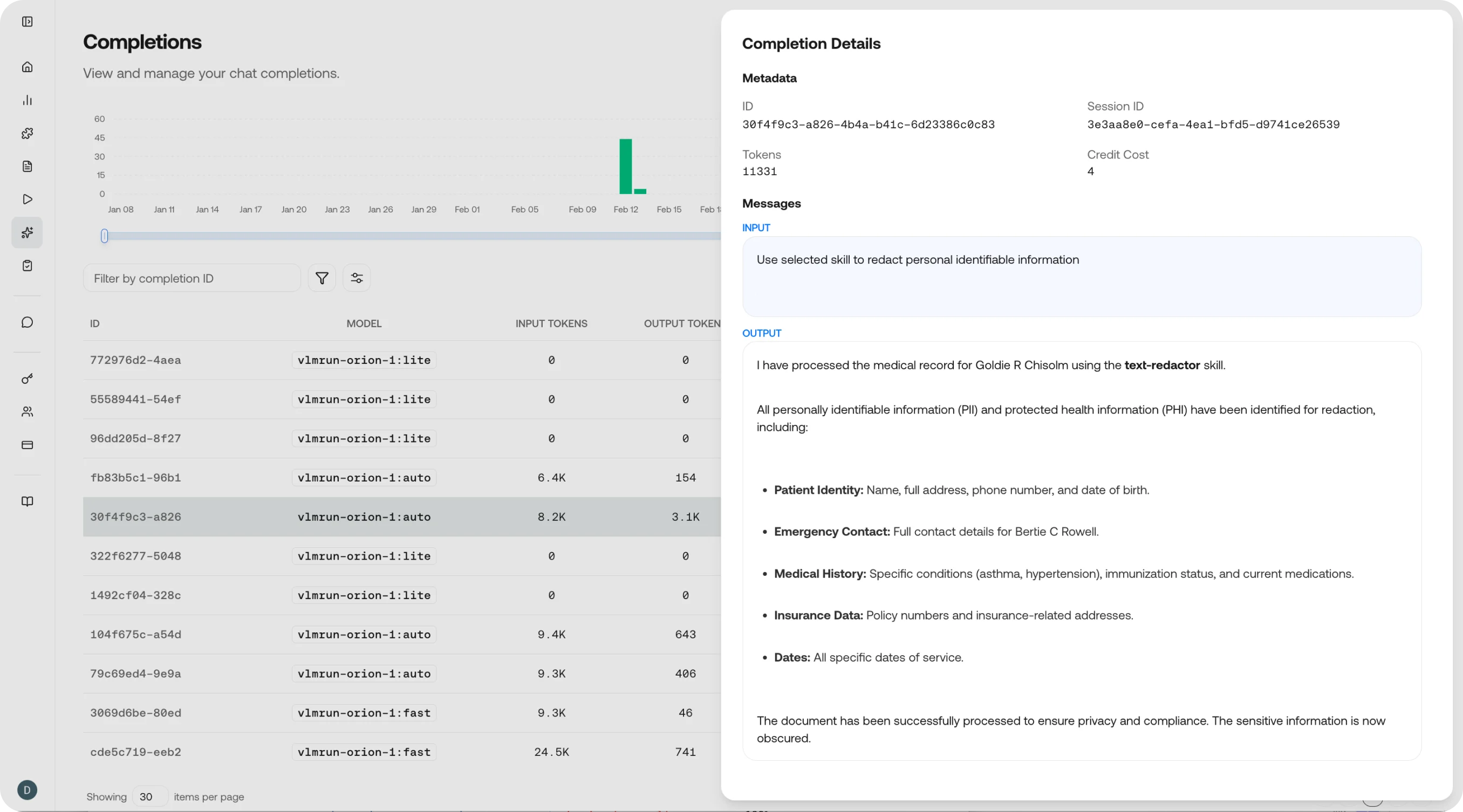
  • Observe: Full observability across your visual AI usage. Monitor requests, track executions, review completions, and keep costs in check.
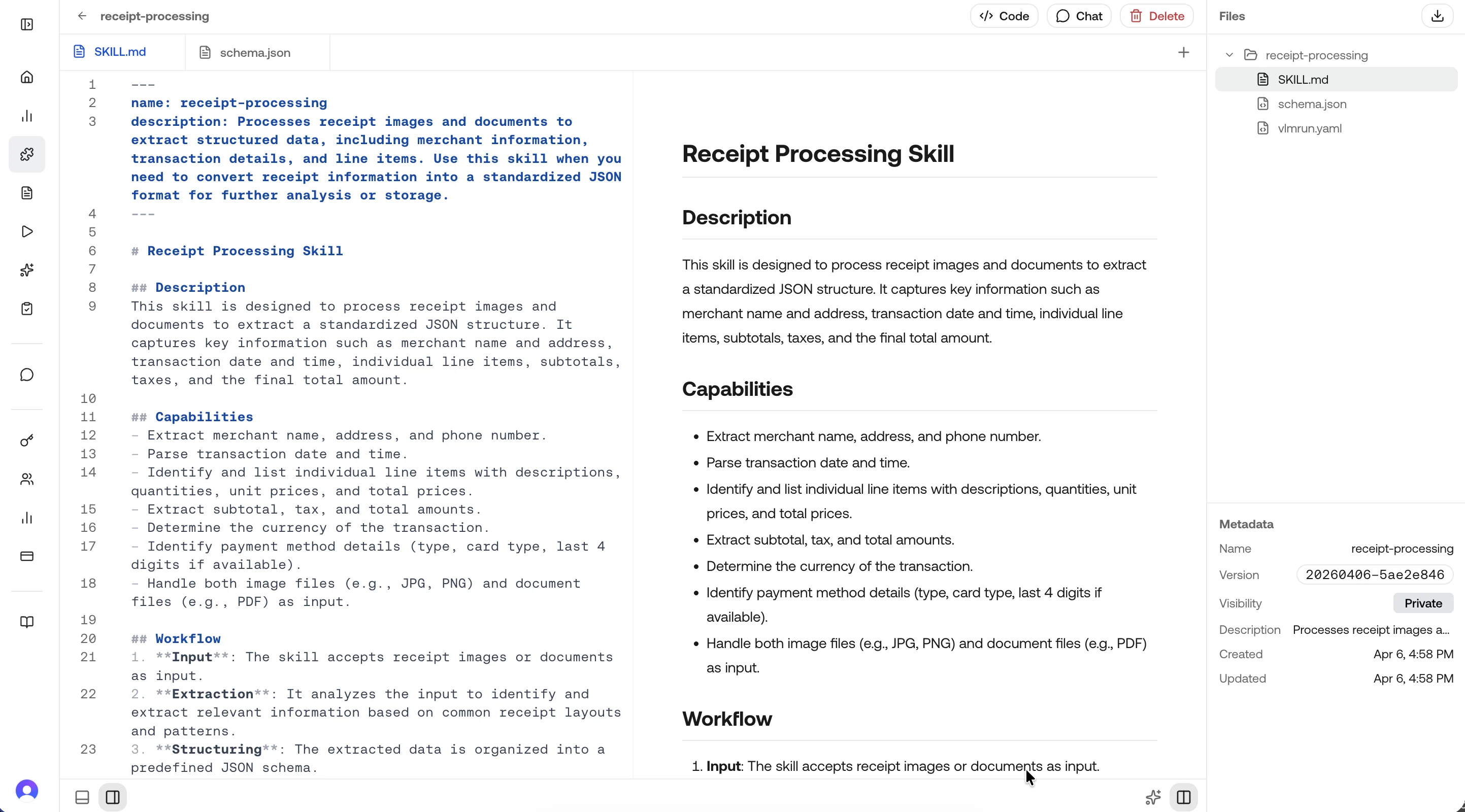
  • Skills: Modular, reusable capabilities that tell the model what to extract and how to structure it. Create once, reference from any endpoint.
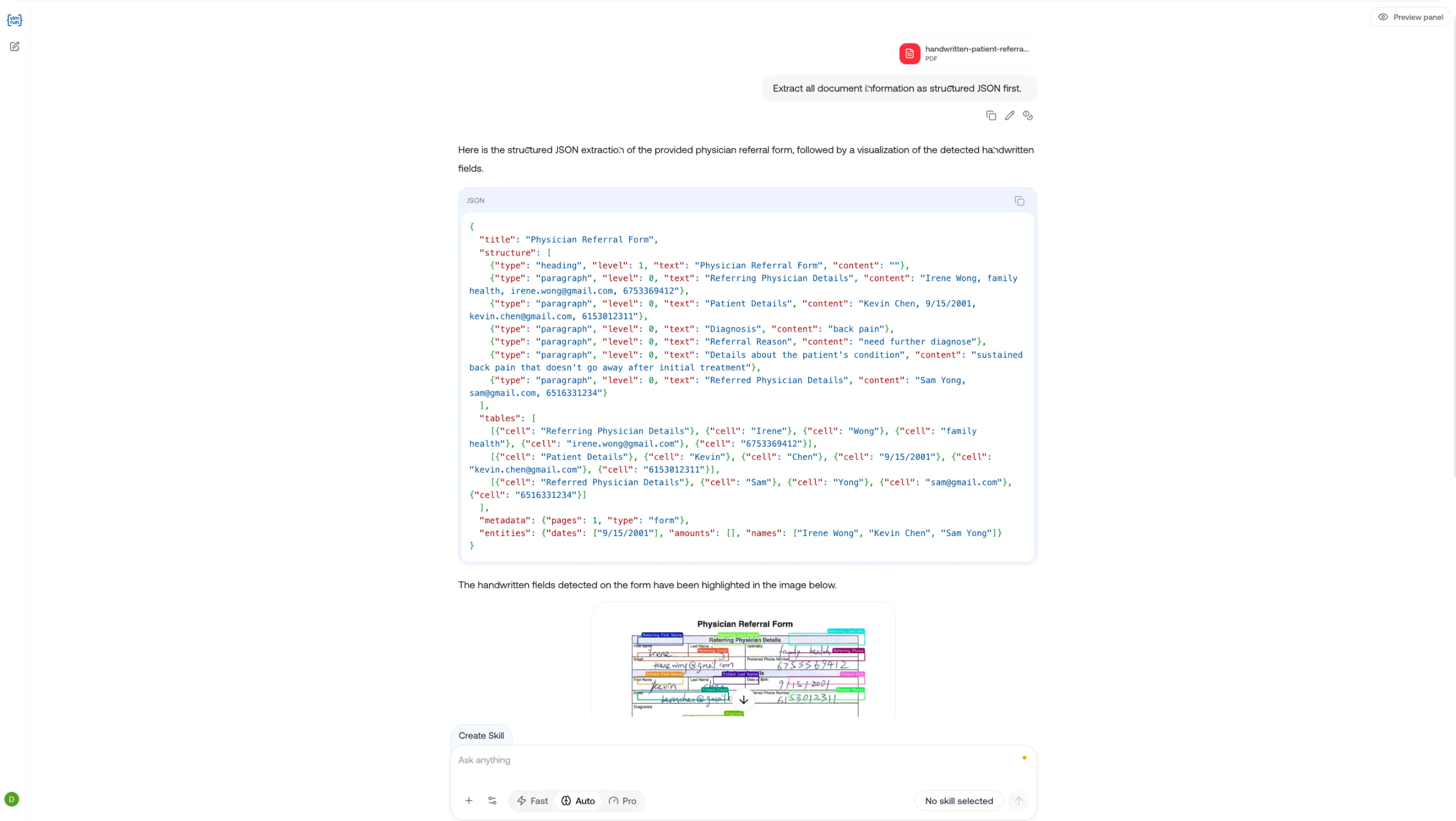
  • Chat: The interactive playground for your visual agent. Attach images, PDFs, or videos and get structured responses in real time.
  • Evaluate (Coming soon): Evaluate the performance of your skills and agents.

Explore the Platform

platform-observe-overview

Home

Monitor requests, executions, and completions across the platform in one single pane of glass.
platform-skill-detail

Skills

Create, edit, and manage reusable extraction skills for your team.
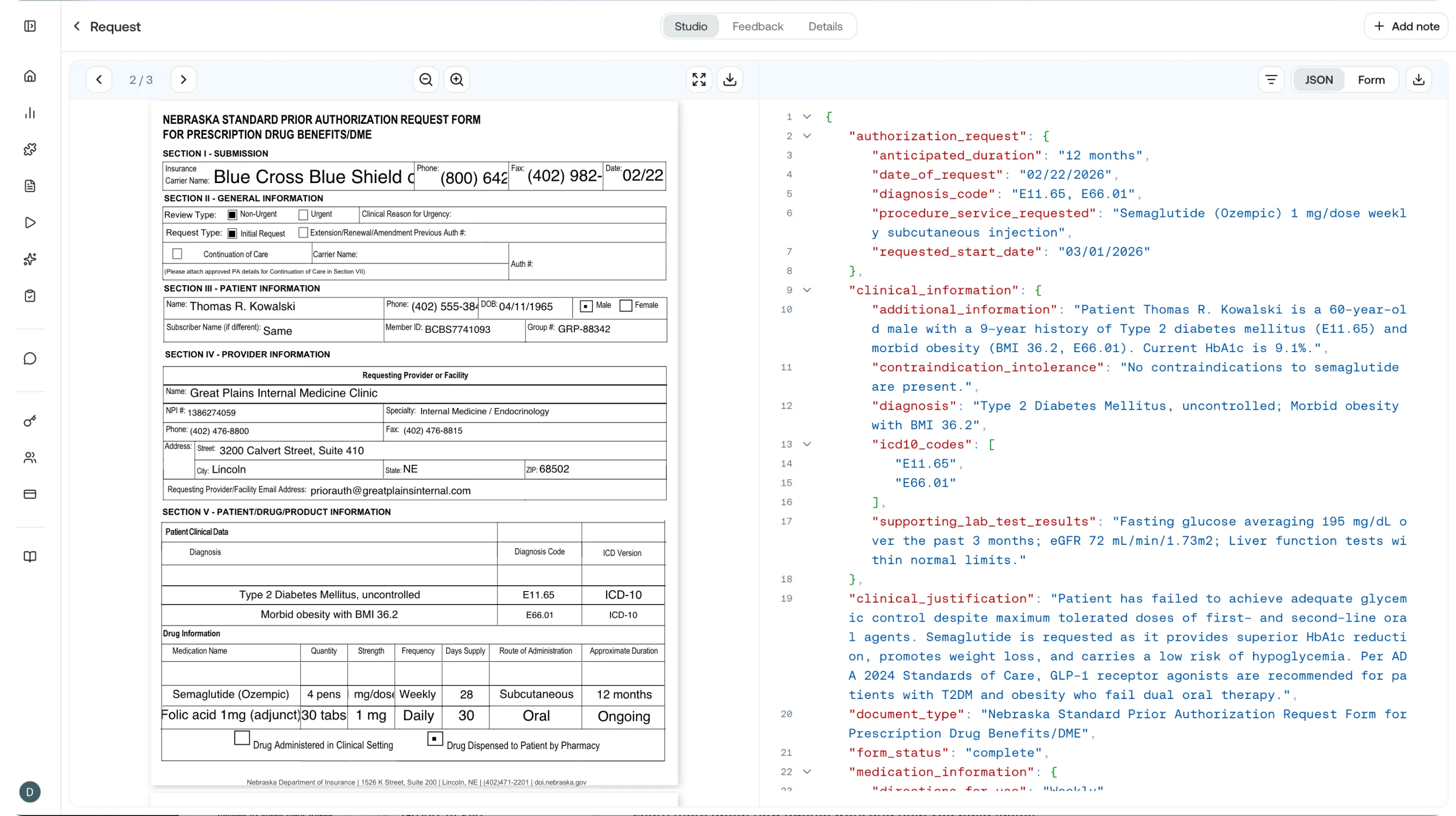
platform-requests-inside

Requests

View and filter all API requests with status, duration, and cost.
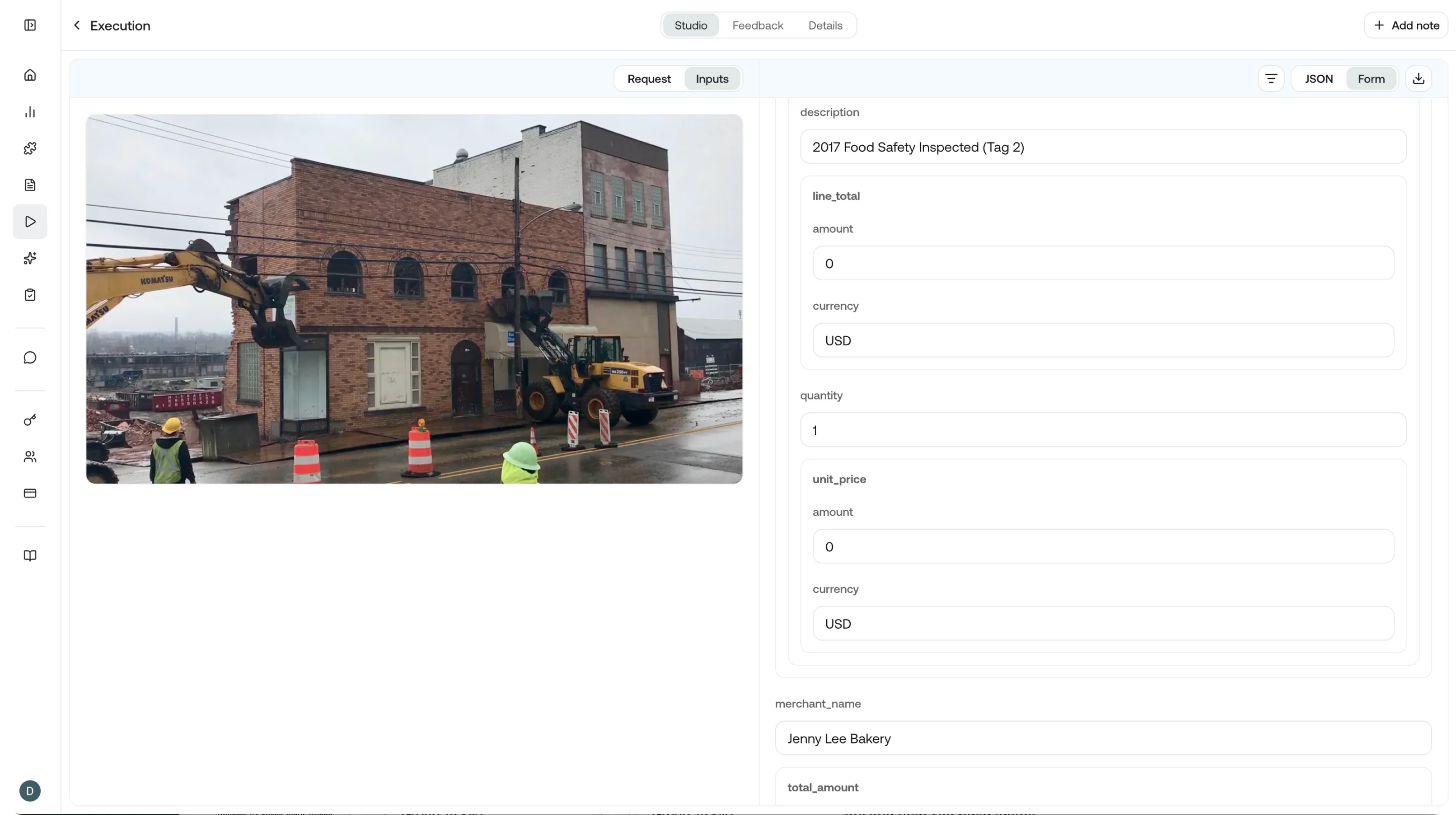
platform-executions-detail

Executions

Track agent and skill executions end to end.
platform-chat

Chat

Send messages to Orion, attach files, and get structured visual responses.
platform-completions-group10

Completions

Browse model completions with token usage and output details.

Try Orion

Jump straight into the playground and chat with Orion for free.

Open Dashboard

Sign in to the VLM Run platform to manage your account.

API Docs

Integrate programmatically with the VLM Run REST API.

Skills Reference

Deep-dive into the skill specification and lifecycle.