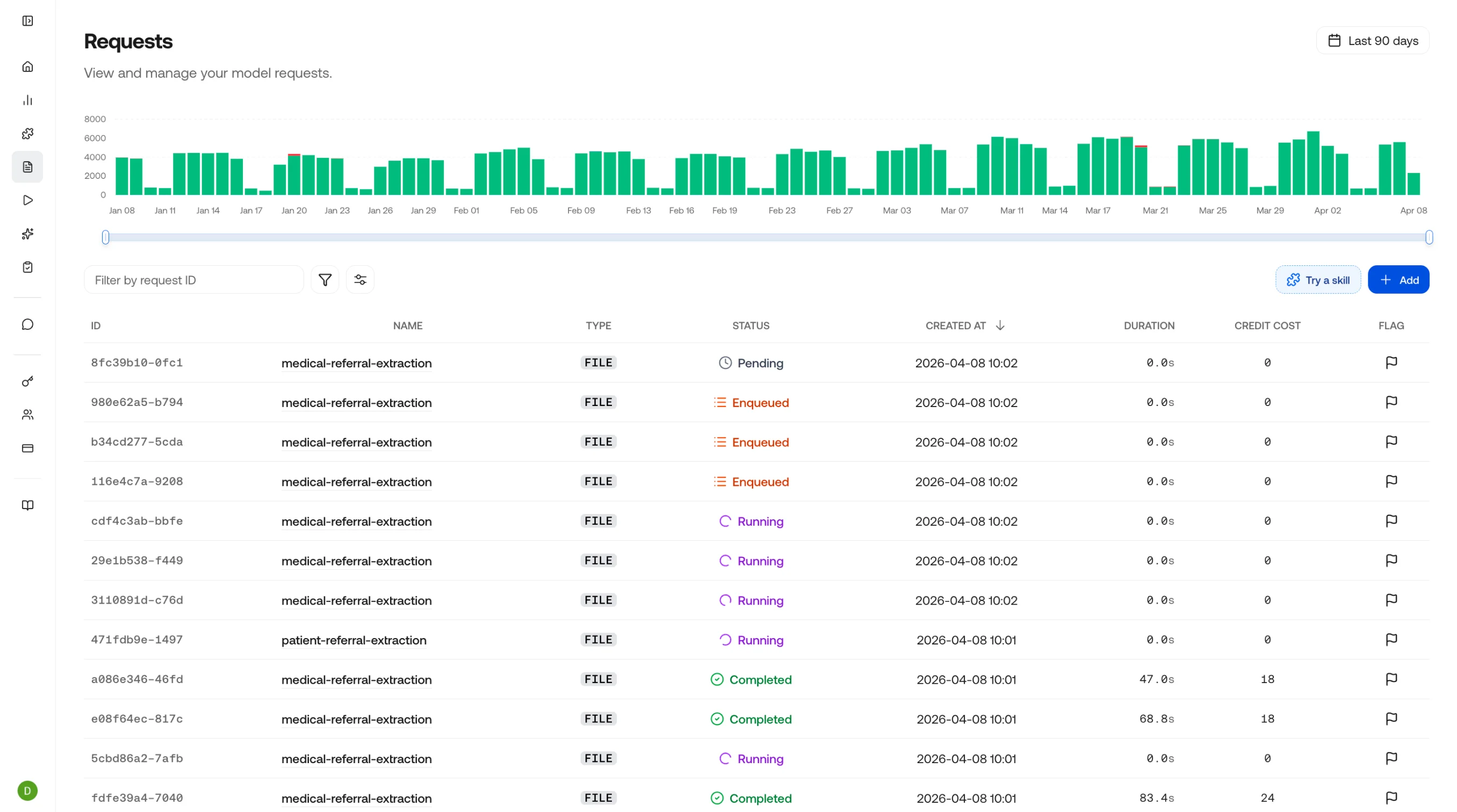
Track API requests made to the VLM Run platform, with details like status, duration, and credit cost. Inspect results and provide feedback to help improve future outputs.
Requests table view

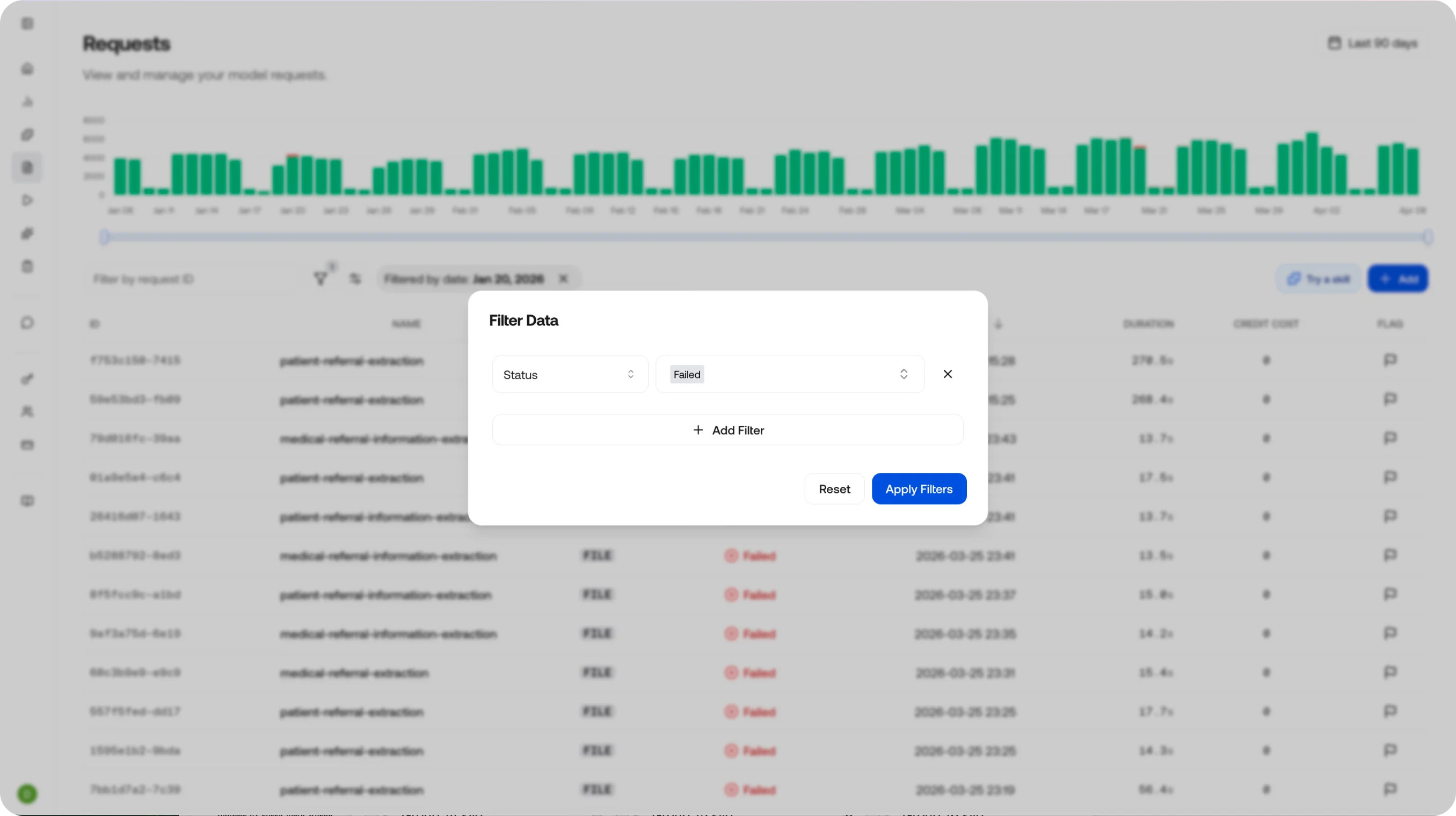
Filtering Requests

Once you’re on the Requests page, you can search and filter to find a specific request. To zero in on failures, click the filter icon and filter by status - along with a range of other available filters.
Clicking a bar in the graph at the top filters the table to that specific day.
Filter requests

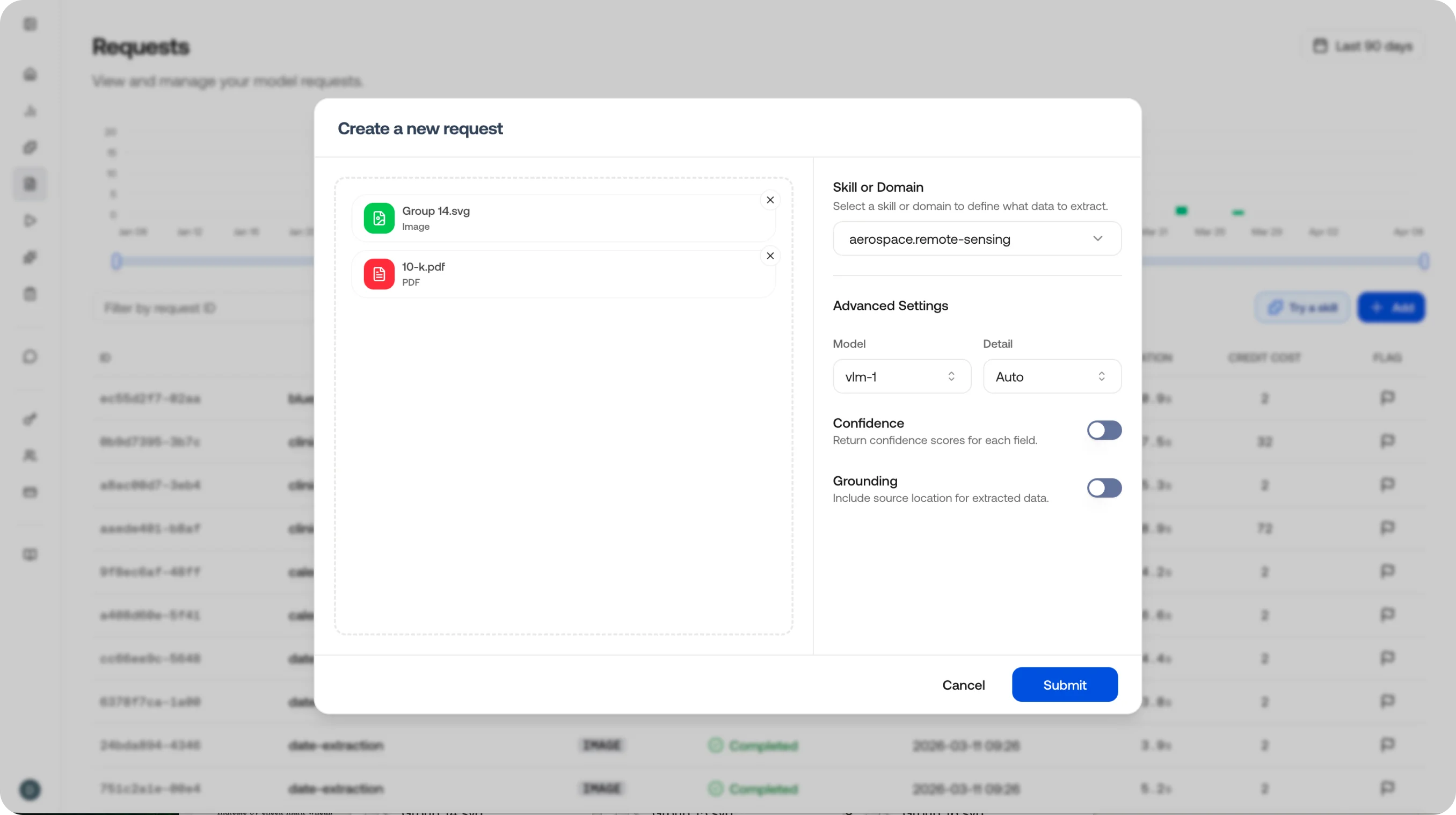
Creating Requests

The Requests page isn’t only for observability - click the + button on the right to upload one or more files and select the model and detail level for your request. You can also enable confidence scoring and visual grounding on the request.
You can do this through the API as well. See the Generate API reference for the full set of options.
Create a request

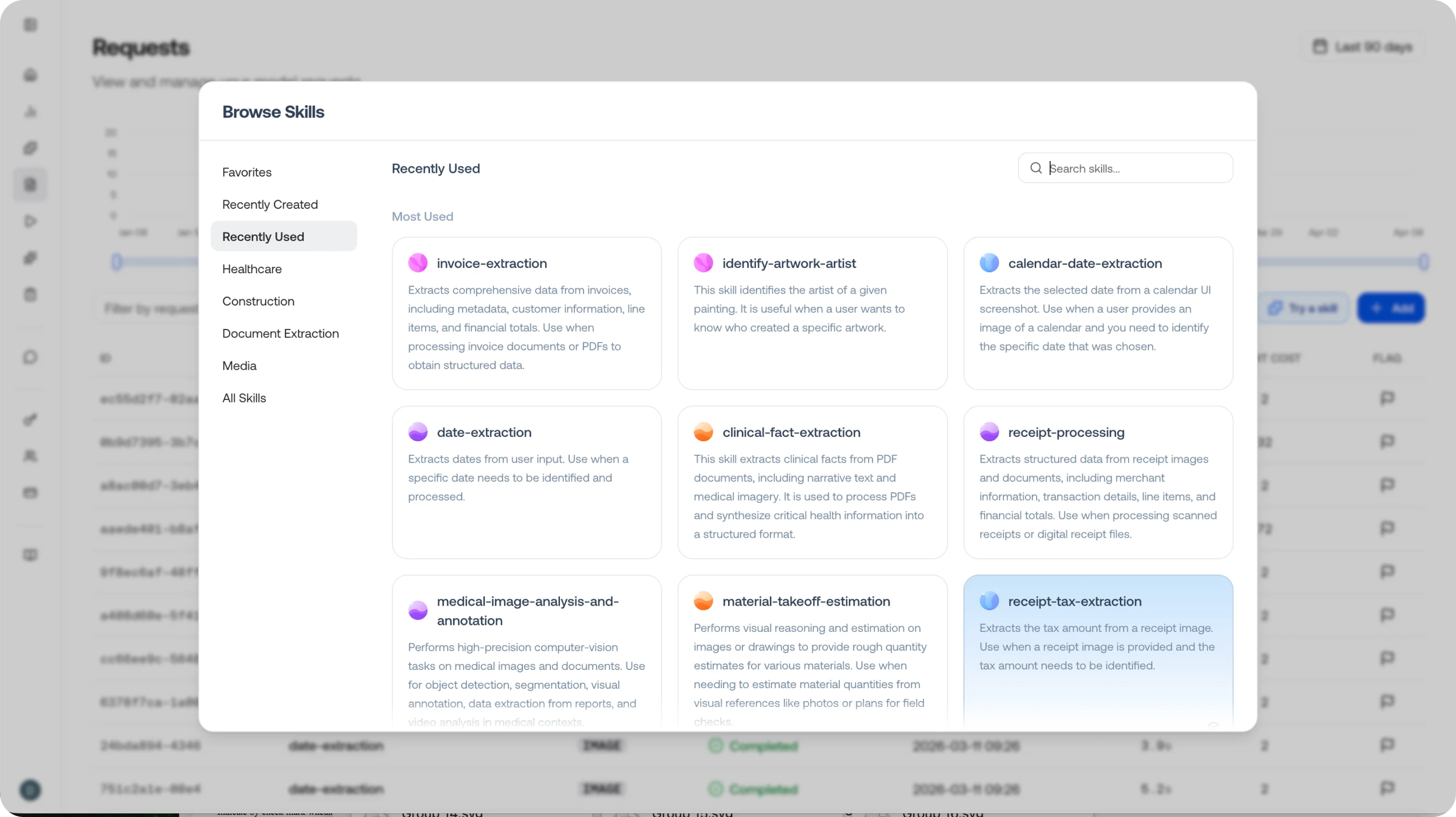
Using Skills in Requests

To make a request useful, provide guidance for what you want extracted - the simplest way is to select a skill. The skill handles the prompt, output schema, and plan for the request.
Learn more about skills and how to create them in the Skills reference.
Use a skill in a request

Request Details

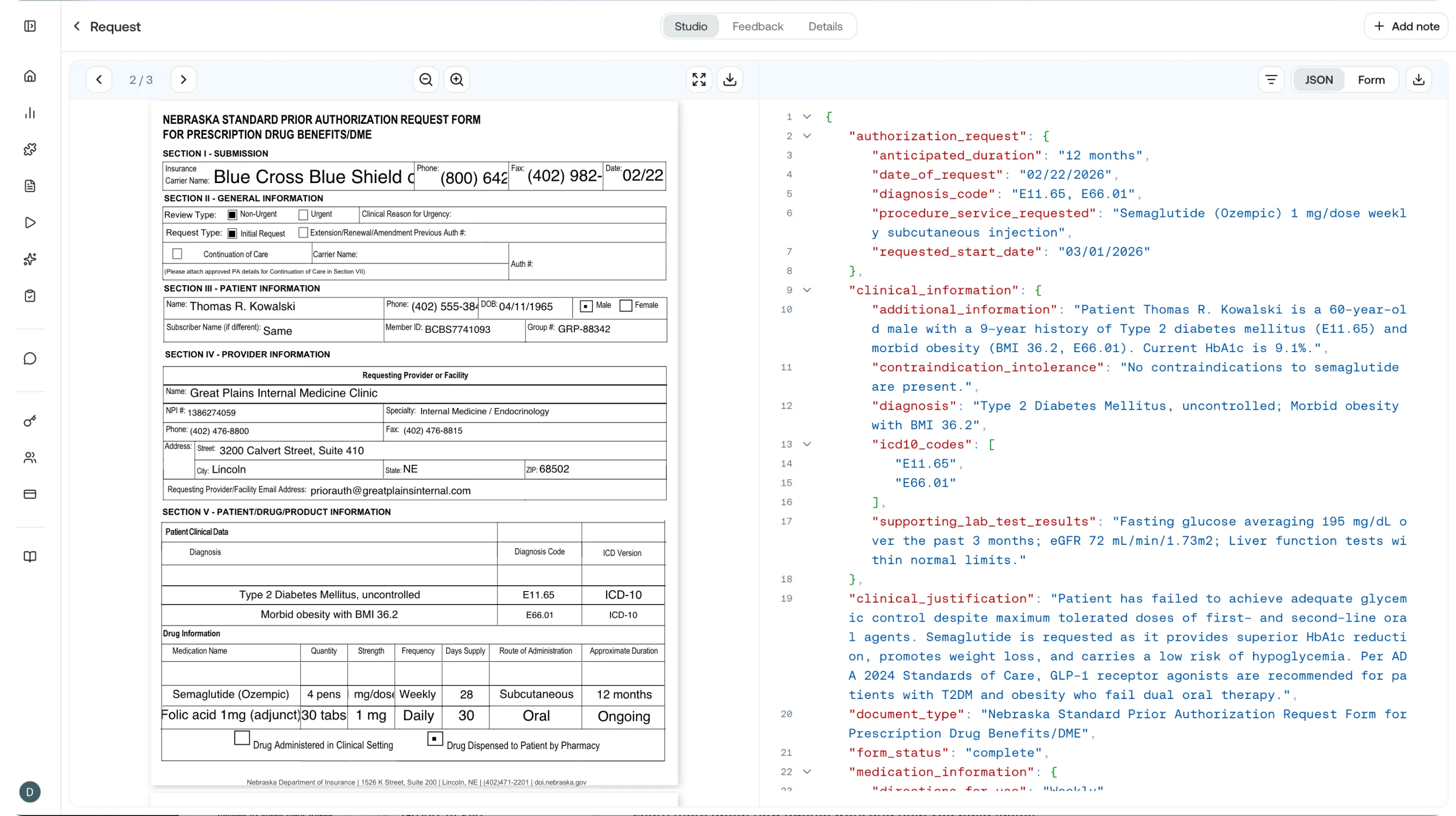
Click any request to see the input file alongside the output. The output can be viewed as JSON, Markdown, or Form view - see Executions for details on field-level feedback.
Request detail view
You can provide feedback on individual output fields as well as a note on the request as a whole.
You can submit feedback through the API as well. See the feedback endpoint.

Request Table

ColumnDescription
EndpointThe API path called (e.g., /v1/image/generate, /v1/chat/completions)
StatusHTTP status code: 200 for success, 4xx/5xx for errors
DurationWall-clock time from request received to response sent
CreditsThe number of credits consumed by this request
TimestampWhen the request was received
Skill / DomainThe skill or domain referenced in the request, if any

Common Use Cases

  • Audit trail: See exactly what was sent and returned for any request, useful for compliance and debugging.
  • Cost analysis: Sort by credits to identify the most expensive requests and optimize accordingly.
  • Error investigation: Filter for 4xx or 5xx status codes to find and diagnose failures.
  • Skill performance: Filter by skill name to compare success rates and latency across skill versions.

Observe Overview

Return to the observability dashboard.

Executions

Track multi-step agent executions.

Generate API

Reference for image, document, audio, and video generate endpoints.

CLI Generate

Run generate requests from the command line.