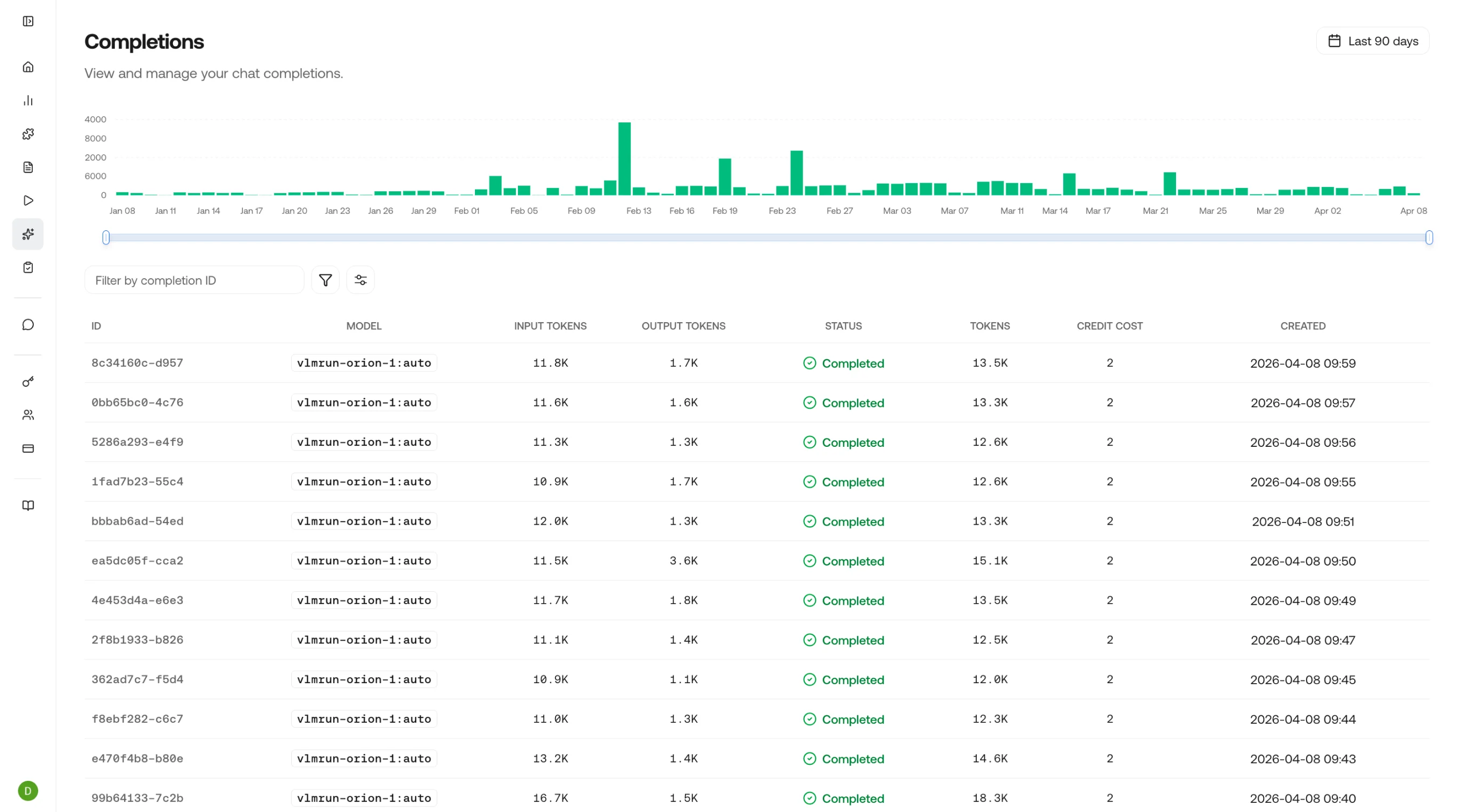
Track chat completion requests made to the VLM Run platform, with details like model, token usage, status, and credit cost. Review outputs to understand how your visual agents are responding.
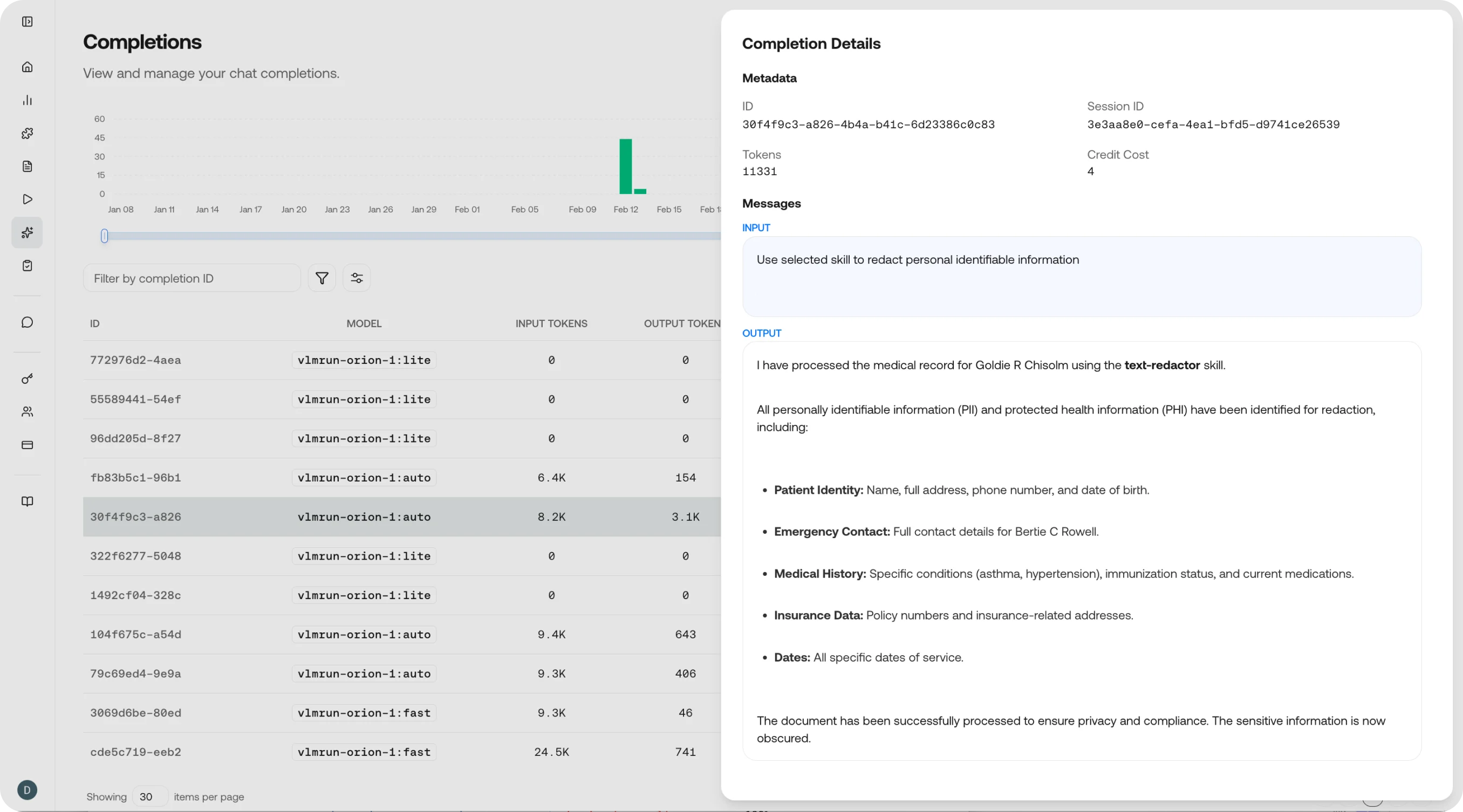
Completions detail view
Everything you see here is also available through the API. See the Chat Completions API reference to query completions programmatically.

Completion details

Click on any completion to see the full chain of inputs and outputs rendered in a clean, easy-to-read view - useful for both reviewing results and debugging issues.

Completions table

Completions table view
Each row represents one completion with:
ColumnDescription
ModelWhich model generated the completion (e.g., vlmrun-orion-1, vlmrun-orion-1:pro)
Skill / DomainThe skill or domain applied, if any
Statussuccess or error
TokensInput and output token counts
LatencyTime from request to first token and total completion time
CreditsCredits consumed by this completion
TimestampWhen the completion was generated
Filter by model, skill, status, or time range to narrow results.

Completion detail

Click any row to inspect the full completion:
  • Messages: The complete message history (system, user, assistant) that produced this completion
  • Structured output: The JSON output if a skill or schema was applied
  • Raw response: The unprocessed model output, including any tool calls or intermediate reasoning
  • Token breakdown: Input tokens (prompt + images/files) vs. output tokens (response)
  • Timing: Time to first token (TTFT) and total generation time
  • Feedback: Submit quality ratings to build a feedback loop for model improvement

What to look for

Review the structured output against expectations. Are fields populated correctly? Are there hallucinations or missing data? Use the feedback button to flag issues.
Compare input and output token counts across completions. If a skill is generating unexpectedly large outputs, the schema or prompt may need tightening.
Filter by model to compare how different models handle the same skill. Look at output quality, latency, and cost to choose the best model for your use case.
Sort by latency to identify slow completions. Cross-reference with token counts. High token completions naturally take longer, but unexpectedly slow low-token completions may indicate an issue.

Observe Overview

Return to the observability dashboard.

Requests

View the underlying API requests for each completion.

Chat Completions API

Reference for the chat completions endpoint.

Feedback

Learn how feedback improves model outputs over time.