> ## Documentation Index
> Fetch the complete documentation index at: https://docs.vlm.run/llms.txt
> Use this file to discover all available pages before exploring further.
# Skills
> Create, edit, and manage reusable visual extraction skills on the VLM Run platform
Skills are the building blocks of the VLM Run platform. A skill is a modular, reusable capability that tells Orion exactly **what to extract** from a visual input and **how to structure** the output. Once created, a skill can be referenced from any endpoint (images, PDFs, video, audio, or agent workflows), producing consistent, schema-validated results every time.
Think of skills as "visual functions": define the input type, describe the task, set the output schema, and call it from anywhere.
## Skills Lifecycle
Define a new skill through a [chat conversation](/platform/chat) or by [uploading a skill package](/skills/spec/overview). Specify the task description, output schema, and test it against sample files.
Refine the skill's prompt, schema, or metadata from the platform. Publish new versions without breaking existing integrations. Callers on a pinned version continue working unchanged.
Reference the skill in [chat](/platform/chat), the [REST API](/api-reference/v1/post-chat-completions), or the [SDK](/sdk-reference/getting-started). Combine multiple skills in a single request for complex extraction pipelines.
## Navigating Skills
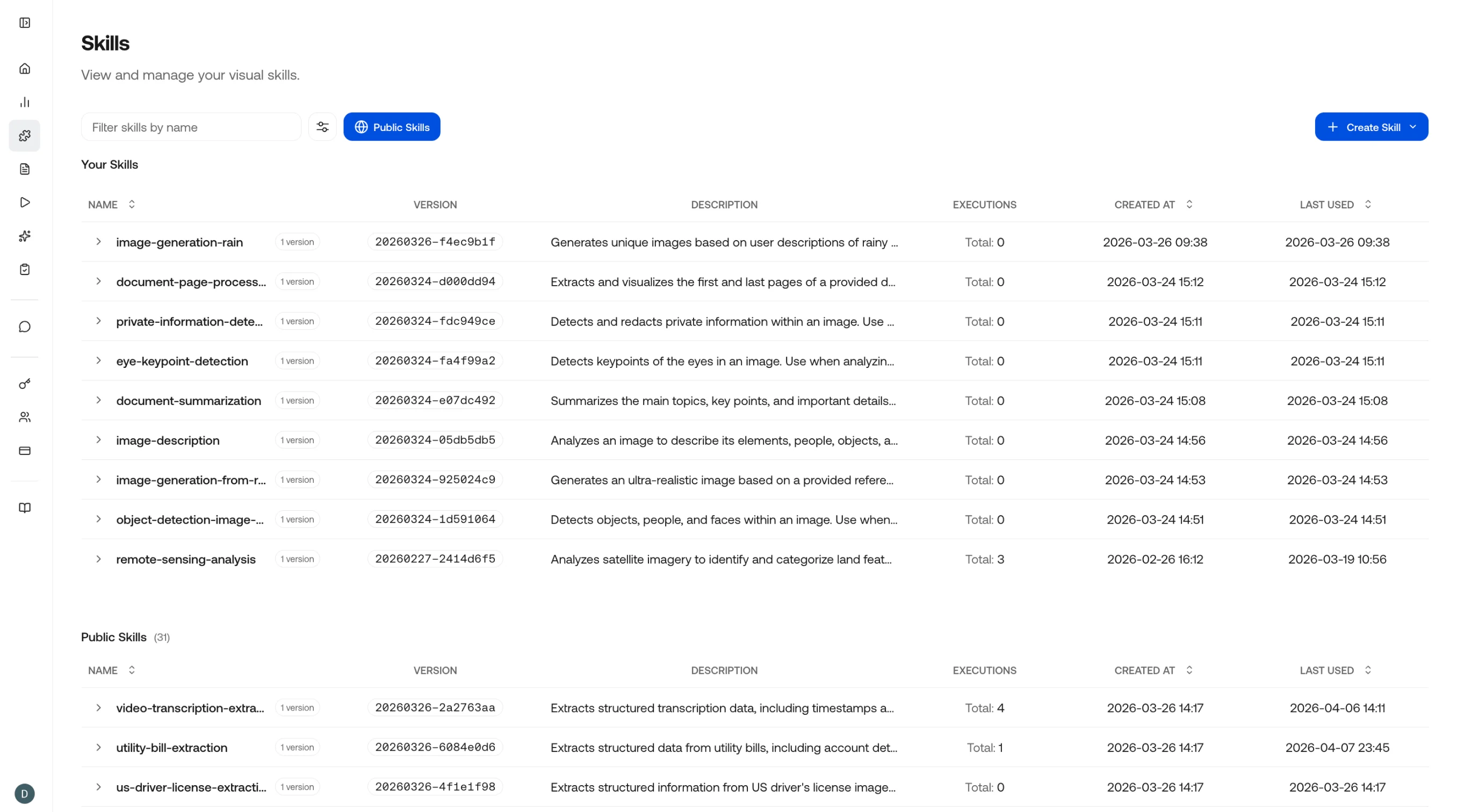
The skills table lists every skill in your workspace. Filter by name, domain, or version, and click any row to open the detail editor. From here you can see usage stats, version history, and the current schema.
## Configuring Skills
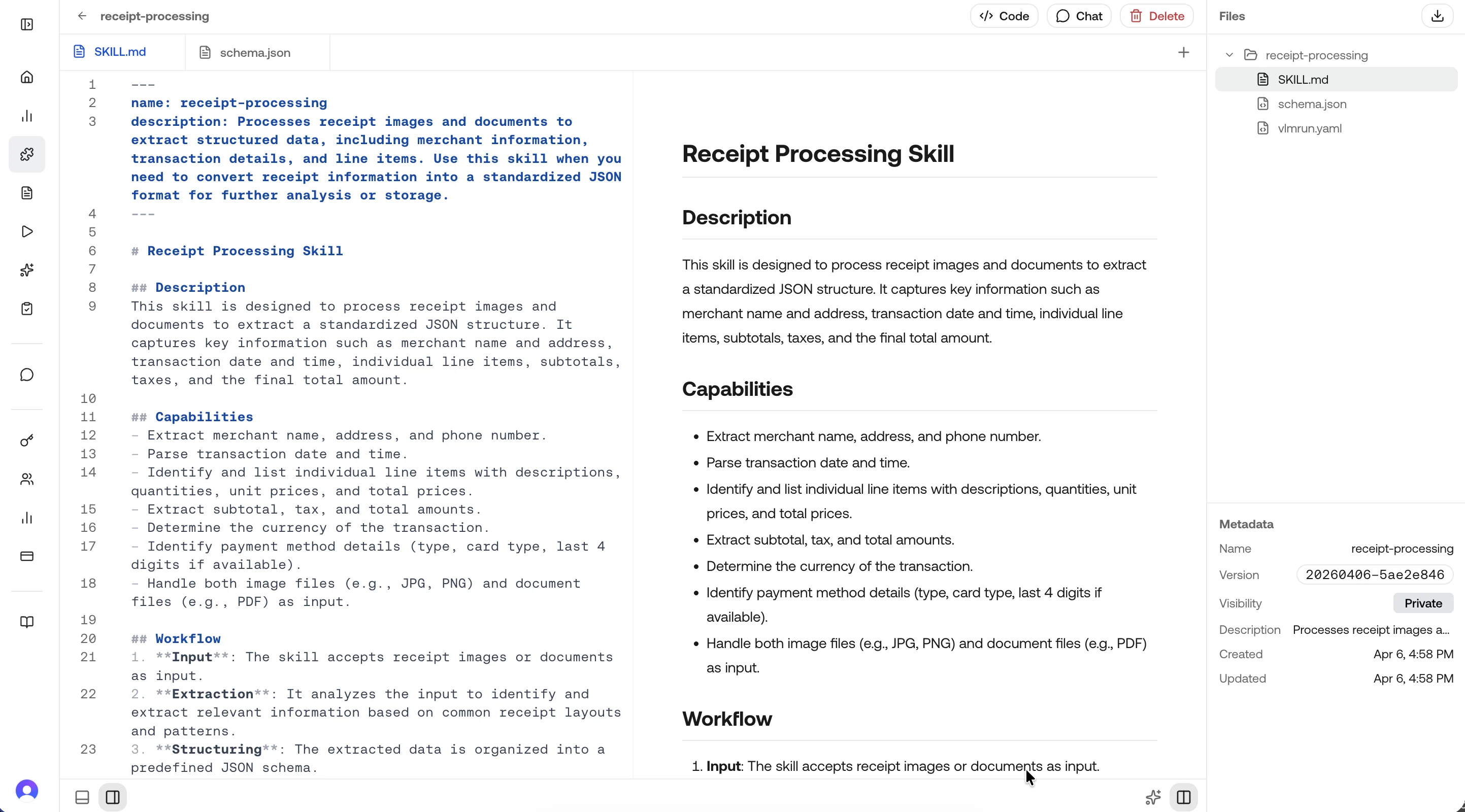
The detail view shows the full skill definition: task description, JSON schema, sample inputs and outputs, and version history. Edit any field and publish a new version directly from this page.
## Best Practices
| Principle | Why it matters |
| ----------------------------- | ------------------------------------------------------------------------------------ |
| **Specific task description** | Narrow prompts produce more accurate, consistent outputs than broad ones |
| **Tight output schema** | A well-defined JSON schema eliminates ambiguity and makes downstream parsing trivial |
| **Representative test cases** | Testing against diverse samples catches edge cases before production |
| **Versioning** | Pin consumers to a version so schema changes don't break integrations |
## Dive deeper
Step-by-step guide to creating a skill on the platform.
How to update prompts, schemas, and publish new versions.
Reference skills in chat, API calls, and agent workflows.
The full specification format: skill.md, vlmrun.yaml, and schema.json.
Control which version consumers use in production.
Create and manage skills programmatically with the REST API.