> ## Documentation Index
> Fetch the complete documentation index at: https://docs.vlm.run/llms.txt
> Use this file to discover all available pages before exploring further.
# Video Tools
> Video tools for trimming, sampling, and extracting segments from videos
VLM Run's Orion agents can leverage various video-editing tools such as trimming, sampling, and extracting segments from videos. These tools are designed to help you extract key moments from videos, trim videos to specific segments, and sample frames from videos for analysis.
## Example Usage
For best results, we recommend using the [Structured Outputs API](/agents/structured-responses) to get responses in a structured and validated data format.
### 1. Video Frame Sampling
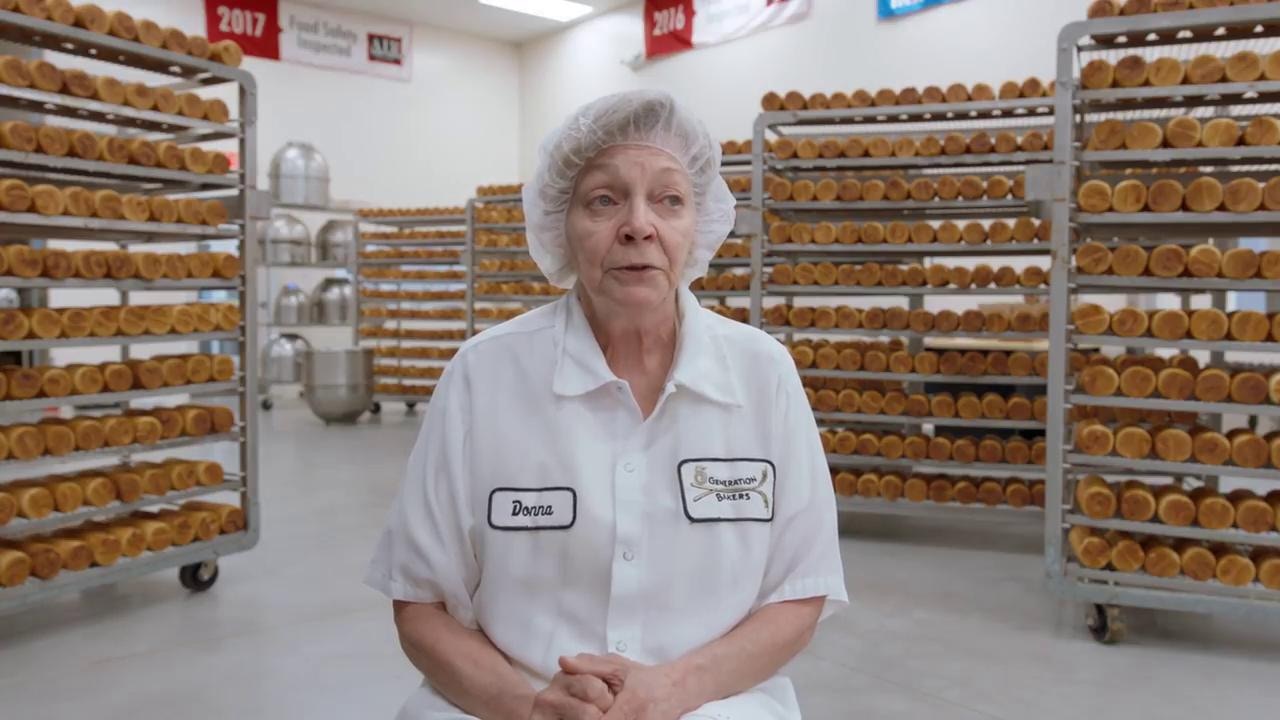
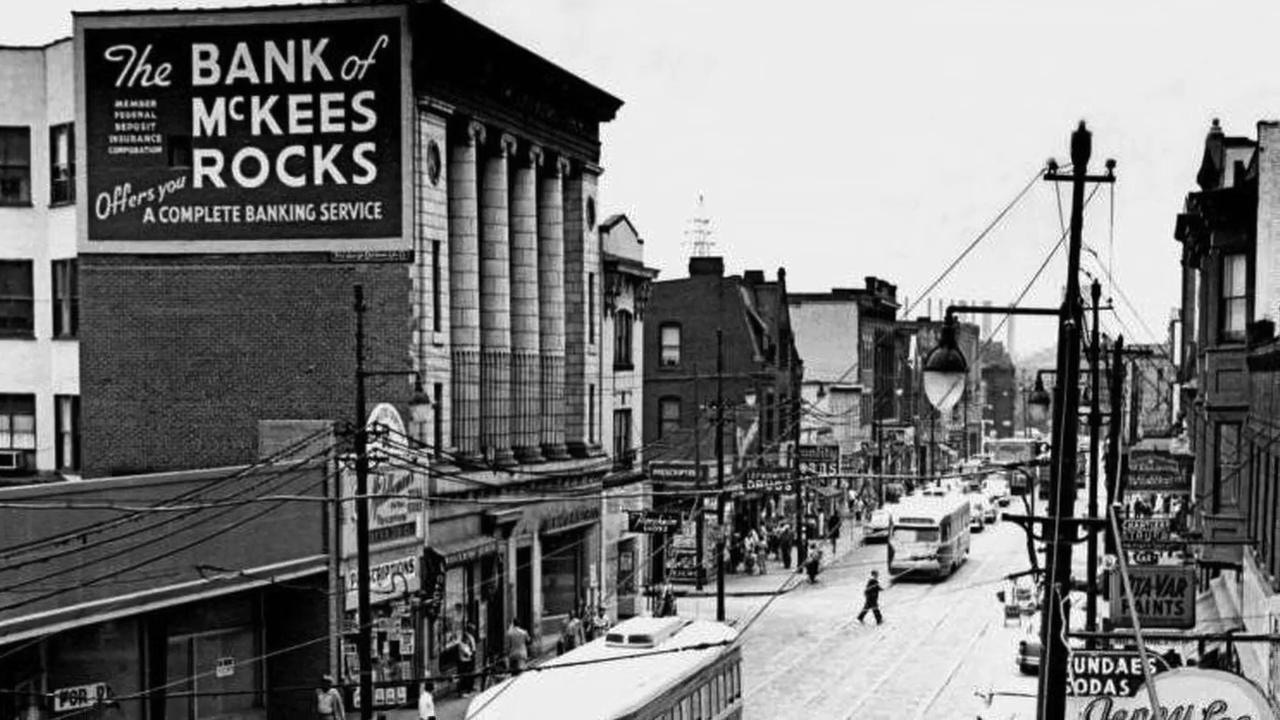
Extract frames at regular intervals or specific timestamps for analysis.
```mdx wrap theme={"theme":{"light":"github-light","dark":"dark-plus"}}
Extract at least 3 frames from the video for thumbnail generation.
```

```python Python theme={"theme":{"light":"github-light","dark":"dark-plus"}}
from vlmrun.client import VLMRun
# Initialize the VLMRun client
client = VLMRun(api_key="")
# Extract keyframes for thumbnails
response = client.agent.completions.create(
model="vlmrun-orion-1:auto",
messages=[
{
"role": "user",
"content": [
{"type": "text", "text": "Extract keyframes from this video for thumbnail generation, sampling every 5 seconds"},
{"type": "video_url", "video_url": {"url": "https://storage.googleapis.com/vlm-data-public-prod/hub/examples/video.transcription/bakery.mp4"}}
]
}
]
)
print(response.choices[0].message.content)
# >>> {"frames": [{"url": "https://.../frame-1.jpg", "timestamp": "00:00:00.000"}, ...]}
```
```python Python - Structured Outputs theme={"theme":{"light":"github-light","dark":"dark-plus"}}
from vlmrun.client import VLMRun
from pydantic import BaseModel, Field
# Define the response schema
class VideoFrame(BaseModel):
url: str = Field(..., description="The URL of the extracted frame")
timestamp: str = Field(..., description="Timestamp in HH:MM:SS.MS format")
class VideoSamplingResponse(BaseModel):
frames: list[VideoFrame] = Field(..., description="List of extracted frames")
# Initialize the VLMRun client
client = VLMRun(api_key="")
# Extract keyframes with structured output
response = client.agent.completions.create(
model="vlmrun-orion-1:auto",
messages=[
{
"role": "user",
"content": [
{"type": "text", "text": "Extract keyframes from this video for thumbnail generation, sampling every 5 seconds"},
{"type": "video_url", "video_url": {"url": "https://storage.googleapis.com/vlm-data-public-prod/hub/examples/video.transcription/bakery.mp4"}}
]
}
],
response_format={"type": "json_schema", "schema": VideoSamplingResponse.model_json_schema()}
)
# Validate the response
result = VideoSamplingResponse.model_validate_json(response.choices[0].message.content)
# >>> VideoSamplingResponse(frames=[VideoFrame(url="...", timestamp="..."), ...])
```
```typescript Node.js theme={"theme":{"light":"github-light","dark":"dark-plus"}}
import { VlmRun } from "vlmrun";
const client = new VlmRun({
apiKey: "",
baseURL: "https://api.vlm.run/v1"
});
const response = await client.agent.completions.create({
model: "vlmrun-orion-1:auto",
messages: [
{
role: "user",
content: [
{ type: "text", text: "Extract keyframes from this video for thumbnail generation, sampling every 5 seconds" },
{ type: "video_url", video_url: { url: "https://storage.googleapis.com/vlm-data-public-prod/hub/examples/video.transcription/bakery.mp4" } }
]
}
]
});
console.log(response.choices[0].message.content);
```
```typescript Node.js - Structured Outputs [expandable] theme={"theme":{"light":"github-light","dark":"dark-plus"}}
import { VlmRun } from "vlmrun";
import { z } from "zod";
import { zodToJsonSchema } from "zod-to-json-schema";
// Define the response schema with Zod
const VideoSamplingResponseSchema = z.object({
frames: z.array(z.object({
url: z.string().describe("The URL of the extracted frame"),
timestamp: z.string().describe("Timestamp in HH:MM:SS.MS format")
})).describe("List of extracted frames")
});
// Initialize the VLMRun client
const client = new VlmRun({
apiKey: "",
baseURL: "https://api.vlm.run/v1"
});
// Extract keyframes with structured output
const response = await client.agent.completions.create({
model: "vlmrun-orion-1:auto",
messages: [
{
role: "user",
content: [
{ type: "text", text: "Extract keyframes from this video for thumbnail generation, sampling every 5 seconds" },
{ type: "video_url", video_url: { url: "https://storage.googleapis.com/vlm-data-public-prod/hub/examples/video.transcription/bakery.mp4" } }
]
}
],
response_format: {
type: "json_schema",
schema: zodToJsonSchema(VideoSamplingResponseSchema)
}
});
const result = VideoSamplingResponseSchema.parse(JSON.parse(response.choices[0].message.content));
console.log(result);
// >>> { frames: [{ url: "https://.../frame-1.jpg", timestamp: "00:00:00.000" }, ...] }
```
***
### 2. Video Highlight Extraction
Our video agents can extract the best moments from a video, focusing on scoring plays and key actions.
```mdx wrap theme={"theme":{"light":"github-light","dark":"dark-plus"}}
Extract the 3 best moments from this video, including the start and end times of each moment.
```
```python Python theme={"theme":{"light":"github-light","dark":"dark-plus"}}
from vlmrun.client import VLMRun
# Initialize the VLMRun client
client = VLMRun(api_key="")
# Extract multiple segments
response = client.agent.completions.create(
model="vlmrun-orion-1:auto",
messages=[
{
"role": "user",
"content": [
{"type": "text", "text": "Extract the 3 best moments from this video, including the start and end times of each moment."},
{"type": "video_url", "video_url": {"url": "https://storage.googleapis.com/vlm-data-public-prod/hub/examples/video.transcription/bakery.mp4"}}
]
}
]
)
print(response.choices[0].message.content)
# >>> {"segments": [...]}
```
```python Python - Structured Outputs theme={"theme":{"light":"github-light","dark":"dark-plus"}}
from vlmrun.client import VLMRun
from pydantic import BaseModel, Field
# Define the response schema
class HighlightVideo(BaseModel):
start_time: str = Field(..., description="Start time in HH:MM:SS.MS format")
end_time: str = Field(..., description="End time in HH:MM:SS.MS format")
url: str = Field(..., description="URL of the extracted segment")
class HighlightExtractionResponse(BaseModel):
segments: list[HighlightVideo] = Field(..., description="List of extracted segments")
# Initialize the VLMRun client
client = VLMRun(api_key="")
# Extract highlights with structured output
response = client.agent.completions.create(
model="vlmrun-orion-1:auto",
messages=[
{
"role": "user",
"content": [
{"type": "text", "text": "Extract the 3 best moments from this video, including the start and end times of each moment."},
{"type": "video_url", "video_url": {"url": "https://storage.googleapis.com/vlm-data-public-prod/hub/examples/video.transcription/bakery.mp4"}}
]
}
],
response_format={"type": "json_schema", "schema": HighlightExtractionResponse.model_json_schema()}
)
# Validate the response
result = HighlightExtractionResponse.model_validate_json(response.choices[0].message.content)
```
```typescript Node.js theme={"theme":{"light":"github-light","dark":"dark-plus"}}
import { VlmRun } from "vlmrun";
const client = new VlmRun({
apiKey: "",
baseURL: "https://api.vlm.run/v1"
});
const response = await client.agent.completions.create({
model: "vlmrun-orion-1:auto",
messages: [
{
role: "user",
content: [
{ type: "text", text: "Extract the 3 best moments from this video, including the start and end times of each moment." },
{ type: "video_url", video_url: { url: "https://storage.googleapis.com/vlm-data-public-prod/hub/examples/video.transcription/bakery.mp4" } }
]
}
]
});
console.log(response.choices[0].message.content);
```
```typescript Node.js - Structured Outputs [expandable] theme={"theme":{"light":"github-light","dark":"dark-plus"}}
import { VlmRun } from "vlmrun";
import { z } from "zod";
import { zodToJsonSchema } from "zod-to-json-schema";
// Define the response schema with Zod
const HighlightExtractionResponseSchema = z.object({
segments: z.array(z.object({
start_time: z.string().describe("Start time in HH:MM:SS.MS format"),
end_time: z.string().describe("End time in HH:MM:SS.MS format"),
url: z.string().describe("URL of the extracted segment")
})).describe("List of extracted segments")
});
// Initialize the VLMRun client
const client = new VlmRun({
apiKey: "",
baseURL: "https://api.vlm.run/v1"
});
// Extract highlights with structured output
const response = await client.agent.completions.create({
model: "vlmrun-orion-1:auto",
messages: [
{
role: "user",
content: [
{ type: "text", text: "Extract the 3 best moments from this video, including the start and end times of each moment." },
{ type: "video_url", video_url: { url: "https://storage.googleapis.com/vlm-data-public-prod/hub/examples/video.transcription/bakery.mp4" } }
]
}
],
response_format: {
type: "json_schema",
schema: zodToJsonSchema(HighlightExtractionResponseSchema)
}
});
const result = HighlightExtractionResponseSchema.parse(JSON.parse(response.choices[0].message.content));
```
### 3. Time-Based Trimming
Extract specific segments from videos with precise start and end timestamps.
```mdx wrap theme={"theme":{"light":"github-light","dark":"dark-plus"}}
Trim the video from 10 seconds to 30 seconds
```
```python Python theme={"theme":{"light":"github-light","dark":"dark-plus"}}
from vlmrun.client import VLMRun
# Initialize the VLMRun client
client = VLMRun(api_key="")
# Trim video
response = client.agent.completions.create(
model="vlmrun-orion-1:auto",
messages=[
{
"role": "user",
"content": [
{"type": "text", "text": "Trim the video from 10 seconds to 30 seconds"},
{"type": "video_url", "video_url": {"url": "https://storage.googleapis.com/vlm-data-public-prod/hub/examples/video.transcription/bakery.mp4"}}
]
}
]
)
print(response.choices[0].message.content)
# >>> {"start_time": "00:00:10.000", "end_time": "00:00:30.000", "url": "https://.../trimmed.mp4"}
```
```python Python - Structured Outputs theme={"theme":{"light":"github-light","dark":"dark-plus"}}
from vlmrun.client import VLMRun
from pydantic import BaseModel, Field
# Define the response schema
class VideoResponse(BaseModel):
start_time: str = Field(..., description="Start time in HH:MM:SS.MS format")
end_time: str = Field(..., description="End time in HH:MM:SS.MS format")
url: str = Field(..., description="URL of the trimmed video")
# Initialize the VLMRun client
client = VLMRun(api_key="")
# Trim video with structured output
response = client.agent.completions.create(
model="vlmrun-orion-1:auto",
messages=[
{
"role": "user",
"content": [
{"type": "text", "text": "Trim the video from 10 seconds to 30 seconds"},
{"type": "video_url", "video_url": {"url": "https://storage.googleapis.com/vlm-data-public-prod/hub/examples/video.transcription/bakery.mp4"}}
]
}
],
response_format={"type": "json_schema", "schema": VideoResponse.model_json_schema()}
)
# Validate the response
result = VideoResponse.model_validate_json(response.choices[0].message.content)
```
```typescript Node.js theme={"theme":{"light":"github-light","dark":"dark-plus"}}
import { VlmRun } from "vlmrun";
const client = new VlmRun({
apiKey: "",
baseURL: "https://api.vlm.run/v1"
});
const response = await client.agent.completions.create({
model: "vlmrun-orion-1:auto",
messages: [
{
role: "user",
content: [
{ type: "text", text: "Trim the video from 10 seconds to 30 seconds" },
{ type: "video_url", video_url: { url: "https://storage.googleapis.com/vlm-data-public-prod/hub/examples/video.transcription/bakery.mp4" } }
]
}
]
});
console.log(response.choices[0].message.content);
```
```typescript Node.js - Structured Outputs [expandable] theme={"theme":{"light":"github-light","dark":"dark-plus"}}
import { VlmRun } from "vlmrun";
import { z } from "zod";
import { zodToJsonSchema } from "zod-to-json-schema";
// Define the response schema with Zod
const VideoResponseSchema = z.object({
start_time: z.string().describe("Start time in HH:MM:SS.MS format"),
end_time: z.string().describe("End time in HH:MM:SS.MS format"),
url: z.string().describe("URL of the trimmed video")
});
// Initialize the VLMRun client
const client = new VlmRun({
apiKey: "",
baseURL: "https://api.vlm.run/v1"
});
// Trim video with structured output
const response = await client.agent.completions.create({
model: "vlmrun-orion-1:auto",
messages: [
{
role: "user",
content: [
{ type: "text", text: "Trim the video from 10 seconds to 30 seconds" },
{ type: "video_url", video_url: { url: "https://storage.googleapis.com/vlm-data-public-prod/hub/examples/video.transcription/bakery.mp4" } }
]
}
],
response_format: {
type: "json_schema",
schema: zodToJsonSchema(VideoResponseSchema)
}
});
const result = VideoResponseSchema.parse(JSON.parse(response.choices[0].message.content));
```
## FAQ
* **MP4**: Most common format with excellent compatibility
* **MOV**: Apple QuickTime format
* **AVI**: Windows video format
* **MKV**: Matroska video format
* **WebM**: Web-optimized format
* **Quality Preservation**: Maintains original video quality in trimmed segments
* **Uniform Sampling**: Extract frames at regular intervals (e.g., every 1-5 seconds)
* **Keyframe Sampling**: Extract only keyframes for efficient analysis
* **Scene-Based**: Sample based on scene changes for better content analysis
* **Quality Balance**: Choose appropriate sampling rate based on analysis needs
* **Millisecond Precision**: Cut videos to exact time ranges with millisecond accuracy
* **Keyframe Alignment**: Align cuts to nearest keyframes for clean edits
* **Smart Boundaries**: Automatically detect optimal cut points
* **Quality Preservation**: Maintain video quality without re-encoding when possible
Experience video trimming and frame sampling with live examples in our interactive chat interface