> ## Documentation Index
> Fetch the complete documentation index at: https://docs.vlm.run/llms.txt
> Use this file to discover all available pages before exploring further.
# Visual Grounding
> Connect text elements with their visual locations in documents for precise content understanding
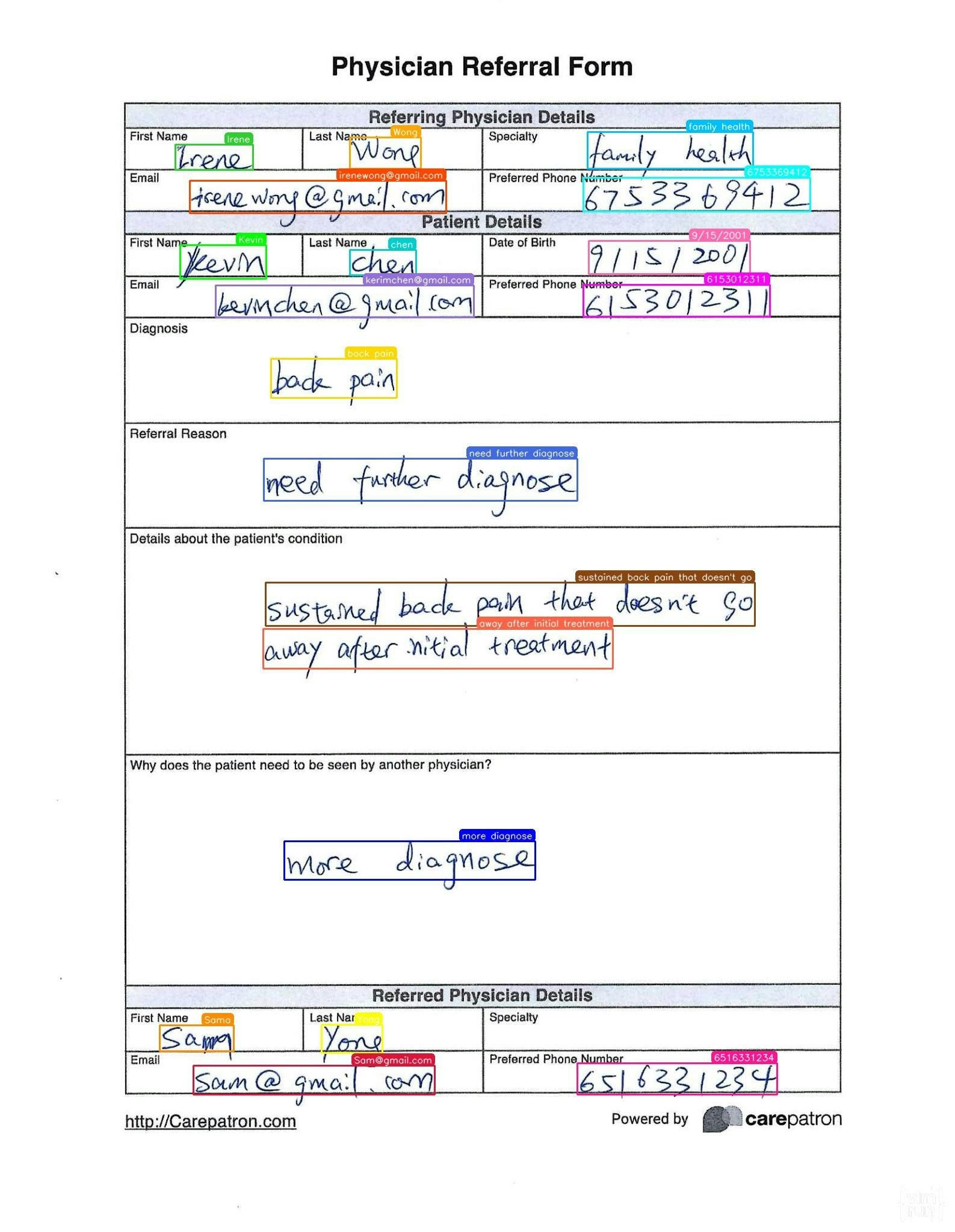
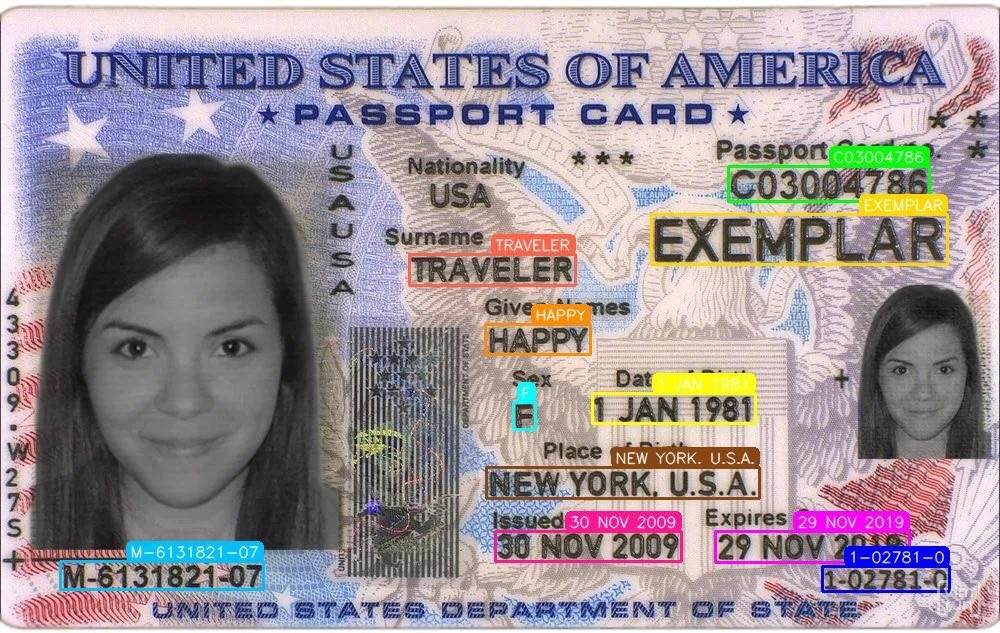
Connect text elements with their visual locations in documents for precise content understanding. Perfect for interactive document analysis, content verification, automated form filling, and document comparison workflows.
Document Form
Driver's License
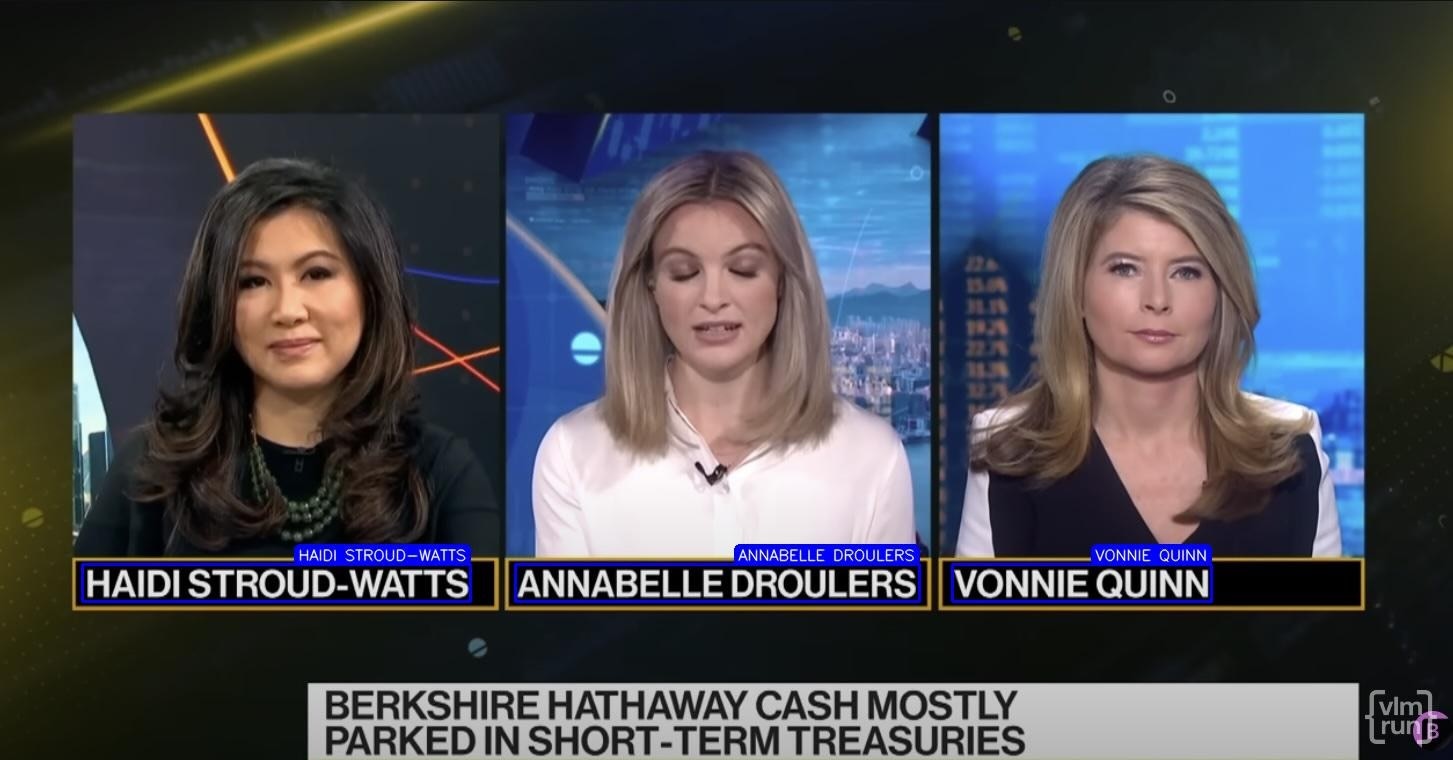
TV News Broadcast Text
## Usage Example
For best results, we recommend using the [Structured Outputs API](/agents/structured-responses) to get responses in a structured and validated data format.
The following examples can map text elements to their visual locations, detect spatial relationships, and identify cross-references in documents. The response schema includes bounding boxes, confidence scores, and relationship types.
```python Python theme={"theme":{"light":"github-light","dark":"dark-plus"}}
from vlmrun.client import VLMRun
# Initialize the VLMRun client
client = VLMRun(api_key="")
# Perform visual grounding
response = client.agent.completions.create(
model="vlmrun-orion-1:auto",
messages=[
{
"role": "user",
"content": [
{"type": "text", "text": "Localize all the speaker names in the TV news broadcast text and visualize them on the image. Only provide one bounding box for each speaker name."},
{"type": "image_url", "image_url": {"url": "https://storage.googleapis.com/vlm-data-public-prod/hub/examples/media.tv-news/finance_bb_3_speakers.jpg", "detail": "auto"}}
]
}
]
)
print(response.choices[0].message.content)
# >>> {"elements": [{"content": "HAIDI STROUD-WATTS", "xywh": [0.428, 0.217, 0.128, 0.286]}, ...]}
```
```python Python - Structured Outputs theme={"theme":{"light":"github-light","dark":"dark-plus"}}
from vlmrun.client import VLMRun
from pydantic import BaseModel, Field
# Define the response schema
class GroundingWithText(BaseModel):
content: str = Field(..., description="The text content")
xywh: tuple[float, float, float, float] = Field(..., description="Bounding box (x, y, w, h)")
class GroundingResponse(BaseModel):
elements: list[GroundingWithText] = Field(..., description="Text to visual mappings")
# Initialize the VLMRun client
client = VLMRun(api_key="")
# Perform visual grounding with structured output
response = client.agent.completions.create(
model="vlmrun-orion-1:auto",
messages=[
{
"role": "user",
"content": [
{"type": "text", "text": "Localize all the speaker names in the TV news broadcast text and visualize them on the image. Only provide one bounding box for each speaker name."},
{"type": "image_url", "image_url": {"url": "https://storage.googleapis.com/vlm-data-public-prod/hub/examples/media.tv-news/finance_bb_3_speakers.jpg", "detail": "auto"}}
]
}
],
response_format={"type": "json_schema", "schema": GroundingResponse.model_json_schema()},
)
# Validate the response
result = GroundingResponse.model_validate_json(response.choices[0].message.content)
# >>> GroundingResponse(elements=[GroundingWithText(content="...", xywh=(...)), ...])
```
```typescript Node.js theme={"theme":{"light":"github-light","dark":"dark-plus"}}
import { VlmRun } from "vlmrun";
const client = new VlmRun({
apiKey: "",
baseURL: "https://api.vlm.run/v1"
});
const response = await client.agent.completions.create({
model: "vlmrun-orion-1:auto",
messages: [
{
role: "user",
content: [
{ type: "text", text: "Localize all the speaker names in the TV news broadcast text and visualize them on the image. Only provide one bounding box for each speaker name." },
{ type: "image_url", image_url: { url: "https://storage.googleapis.com/vlm-data-public-prod/hub/examples/media.tv-news/finance_bb_3_speakers.jpg", detail: "auto" } }
]
}
]
});
console.log(response.choices[0].message.content);
```
```typescript Node.js - Structured Outputs [expandable] theme={"theme":{"light":"github-light","dark":"dark-plus"}}
import { VlmRun } from "vlmrun";
import { z } from "zod";
import { zodToJsonSchema } from "zod-to-json-schema";
// Define the response schema with Zod
const GroundingResponseSchema = z.object({
elements: z.array(z.object({
content: z.string().describe("The text content"),
xywh: z.array(z.number()).describe("Bounding box (x, y, w, h)")
})).describe("Text to visual mappings")
});
// Initialize the VLMRun client
const client = new VlmRun({
apiKey: "",
baseURL: "https://api.vlm.run/v1"
});
// Perform visual grounding with structured output
const response = await client.agent.completions.create({
model: "vlmrun-orion-1:auto",
messages: [
{
role: "user",
content: [
{ type: "text", text: "Localize all the speaker names in the TV news broadcast text and visualize them on the image. Only provide one bounding box for each speaker name." },
{ type: "image_url", image_url: { url: "https://storage.googleapis.com/vlm-data-public-prod/hub/examples/media.tv-news/finance_bb_3_speakers.jpg", detail: "auto" } }
]
}
],
response_format: {
type: "json_schema",
schema: zodToJsonSchema(GroundingResponseSchema)
}
});
const result = GroundingResponseSchema.parse(JSON.parse(response.choices[0].message.content));
```
## FAQ
* **Form Fields**: Connect labels with input fields, checkboxes, and buttons
* **Data Fields**: Map data labels with their corresponding values
* **Interactive Elements**: Link text instructions with clickable elements
* **Validation Rules**: Connect validation text with form fields
* **Cross-References**: Map text mentions with figures, tables, and sections
The bounding boxes come in the format of `xywh`, where `x` and `y` are the top-left corner coordinates, and `w` and `h` are the width and height of the bounding box. All values are in pixels relative to the document image.
* **Label-Field Pairs**: Identify which labels belong to which fields
* **Hierarchical Structure**: Understand parent-child relationships
* **Proximity Analysis**: Determine related elements based on spatial proximity
* **Alignment Patterns**: Detect aligned elements and groups
The confidence score is a value between 0 and 1 that indicates the confidence of the text-visual mapping. Higher scores indicate more reliable connections.
Yes, visual grounding can process multi-page documents. Each page is analyzed separately, and the results include page-specific mappings and relationships.