> ## Documentation Index
> Fetch the complete documentation index at: https://docs.vlm.run/llms.txt
> Use this file to discover all available pages before exploring further.

# Agent Execution

> Execute AI agents on files to extract structured data with consistent, reproducible results

<img className="block dark:hidden" src="https://mintcdn.com/autonomiai/n0UzFHKSRrWx1Yji/agents/assets/agent-intro-placeholder.png?fit=max&auto=format&n=n0UzFHKSRrWx1Yji&q=85&s=a53fa3f8bc777df43ef1a59c8bf336e5" alt="Agent execution example showing processing workflow" width="1536" height="1024" data-path="agents/assets/agent-intro-placeholder.png" />

<img className="hidden dark:block" src="https://mintcdn.com/autonomiai/n0UzFHKSRrWx1Yji/agents/assets/agent-intro-placeholder.png?fit=max&auto=format&n=n0UzFHKSRrWx1Yji&q=85&s=a53fa3f8bc777df43ef1a59c8bf336e5" alt="Agent execution example showing processing workflow" width="1536" height="1024" data-path="agents/assets/agent-intro-placeholder.png" />

# Agent Execution

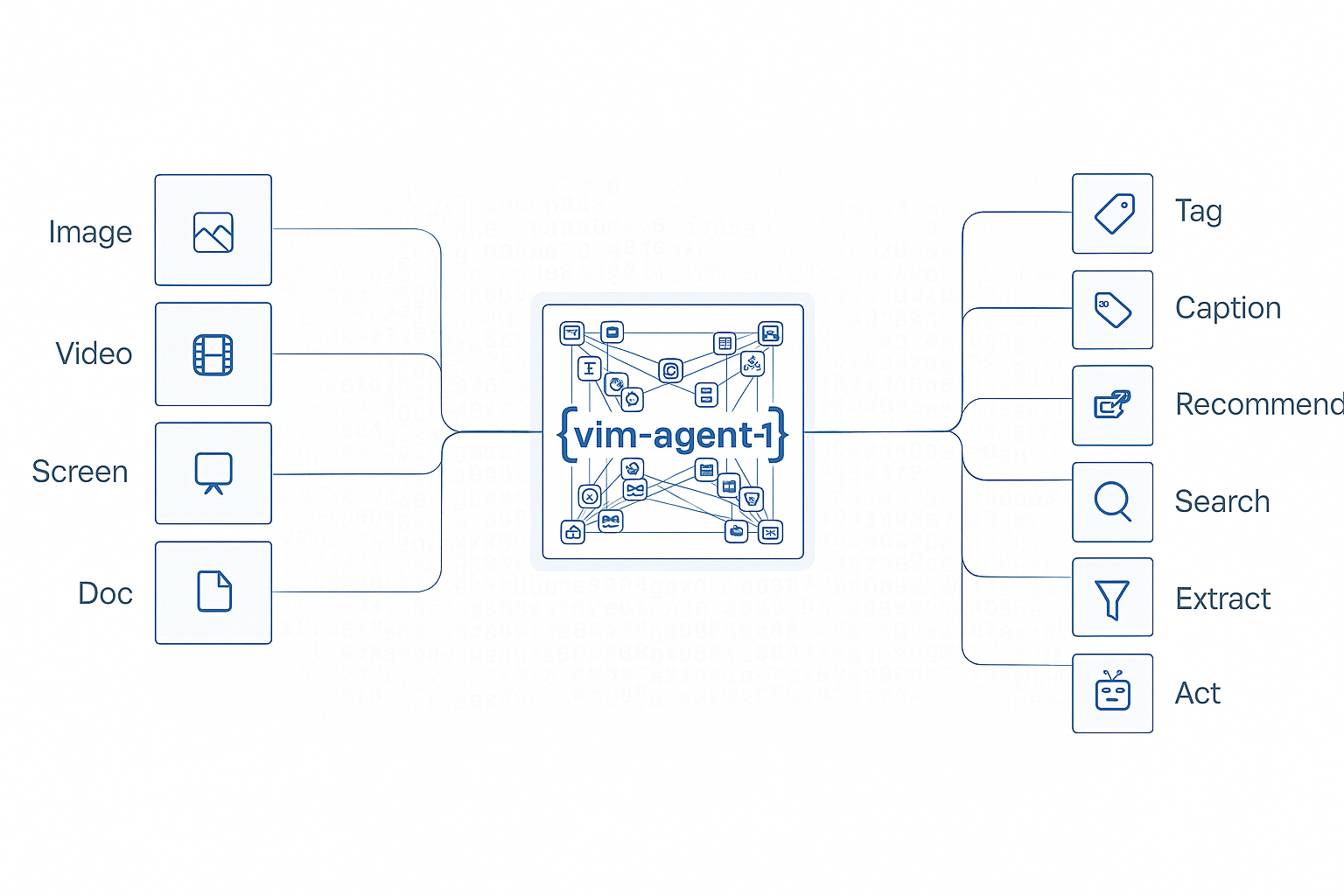
Execute previously created agents on files to extract structured data with consistent, reproducible results. Monitor execution status and retrieve results asynchronously for long-running processing tasks.

## Key Features

* **Consistent Results**: Same agent produces identical output structure across executions
* **Async Processing**: Long-running extractions handled asynchronously with status tracking
* **Batch Processing**: Execute agents on multiple files efficiently
* **Status Monitoring**: Track execution progress from queued to completed
* **Result Retrieval**: Access structured results when processing finishes

## Use Cases

<CardGroup cols={2}>
  <Card title="Automated Document Processing" icon="file-check">
    Process invoices, receipts, and forms at scale with consistent extraction
  </Card>

  <Card title="Data Entry Automation" icon="keyboard">
    Extract information from scanned documents to eliminate manual entry
  </Card>

  <Card title="Archive Digitization" icon="folder-open">
    Convert paper document archives to structured digital data
  </Card>

  <Card title="Multi-Source Integration" icon="arrows-to-circle">
    Extract data from various document types into a unified format
  </Card>
</CardGroup>

## Industry Applications

* **Healthcare**: Patient care automation - process patient forms and medical records
* **Legal & Finance**: Insurance claims - automate claims document processing
* **Retail**: Omnichannel commerce - process product catalogs and receipts
* **Manufacturing**: Smart manufacturing - process quality control documents

## Configuration Options

The following fields can be used when executing an agent. Only `inputs` is required.

| Field         | Required | Description                                                                                                                                                                                                                                                                                                    |
| ------------- | -------- | -------------------------------------------------------------------------------------------------------------------------------------------------------------------------------------------------------------------------------------------------------------------------------------------------------------- |
| `name`        | No       | Agent name and version in format `agent-name:version`. Required if not using inline config                                                                                                                                                                                                                     |
| `inputs`      | Yes      | Named context slots for the agent. Each value is a [`MessageContent`](/agents/inputs) item — `text`, `image_url`, `video_url`, `audio_url`, `file_url`, or `input_file` — so a single request can mix documents, images, video, audio, and text instructions. See [Input Modalities](#input-modalities) below. |
| `config`      | No       | Inline agent configuration for one-time execution without creating a persistent agent                                                                                                                                                                                                                          |
| `priority`    | No       | Execution priority: `low`, `normal`, or `high`. Higher priority executions are processed first. Defaults to `normal`                                                                                                                                                                                           |
| `toolsets`    | No       | List of [tool categories](/agents/inputs#toolset-selection) to enable for this execution. Available categories: `core`, `image`, `image-gen`, `world_gen`, `viz`, `document`, `video`, `web`                                                                                                                   |
| `model`       | No       | Model to use. Orion-1 (tool-calling): `vlmrun-orion-1:fast`, `vlmrun-orion-1:auto`, `vlmrun-orion-1:pro`. Orion-2 ([code-execution](/agents/code-execution)): `vlmrun-orion-2:fast`, `vlmrun-orion-2:auto`, `vlmrun-orion-2:pro`. Defaults to `vlmrun-orion-1:auto`                                            |
| `config.mode` | No       | Orion-2 only. `program` (default): a skill with a cached `pipeline.py` runs as [fixed code](/agents/code-execution#program-execution), skipping the LLM agent loop. `agent`: always run the full LLM agent orchestration loop. Ignored for Orion-1 and non-agent APIs                                          |

## Input Modalities

`inputs` is a dictionary of named context slots whose *keys* are arbitrary (they match the input schema of your agent — e.g. `"file"`, `"document"`, `"reference_image"`, `"instruction"`) and whose *values* are [`MessageContent`](/agents/inputs) items. Each `MessageContent` is a discriminated union — the `type` field selects the modality, and you can mix any number of modalities in a single request.

| `type`       | Payload field                         | Modality              | Typical use                                                                                                        |
| ------------ | ------------------------------------- | --------------------- | ------------------------------------------------------------------------------------------------------------------ |
| `text`       | `text`                                | Plain text            | Instructions, questions, or prompt context                                                                         |
| `image_url`  | `image_url.url` (+ optional `detail`) | Image (URL)           | Publicly hosted images (`jpg`, `png`, `webp`, …)                                                                   |
| `video_url`  | `video_url.url`                       | Video (URL)           | Publicly hosted videos (`mp4`, `mov`, …)                                                                           |
| `audio_url`  | `audio_url.url`                       | Audio (URL)           | Publicly hosted audio (`mp3`, `wav`, …)                                                                            |
| `file_url`   | `file_url.url`                        | Document / file (URL) | PDFs, Word docs, or any other file accessible over HTTP(S)                                                         |
| `input_file` | `file_id`                             | Uploaded file         | Files uploaded via [`client.files.upload`](/api-reference/v1/files/post-file-upload) — pass the returned `file.id` |

In addition to `MessageContent` objects, each slot can be a plain JSON primitive (string, number, boolean, array, object) when the agent's input schema declares a non-media field — e.g. an `email_body` string, an `order_id` integer, or a structured `metadata` object to pass as additional context alongside the uploaded file.

<Tip>
  Define a typed input model with Pydantic (Python) or Zod (Node.js) so each slot in `inputs` gets validated before the request is sent — see the [Multi-modal Inputs guide](/agents/inputs) for end-to-end examples.
</Tip>

### Generic example: all input types in one request

A single `inputs` object can freely mix every modality together with raw strings / JSON. The example below combines an uploaded file (`input_file`), a file URL, an image URL, a video URL, an audio URL, a text instruction, and two plain-primitive context fields (an HTML email body string and a structured metadata object):

<CodeGroup>
  ```python Python theme={"theme":{"light":"github-light","dark":"dark-plus"}}
  from pydantic import BaseModel, Field
  from vlmrun.client import VLMRun
  from vlmrun.client.types import AgentExecutionConfig
  from vlmrun.types import (
      MessageContent,
      ImageUrl,
      VideoUrl,
      AudioUrl,
      FileUrl,
  )

  class ExecutionInputs(BaseModel):
      file: MessageContent = Field(..., description="Primary uploaded file")
      supporting_document: MessageContent = Field(..., description="Supporting document via URL")
      reference_image: MessageContent = Field(..., description="Reference image")
      demo_video: MessageContent = Field(..., description="Demo video")
      voicemail: MessageContent = Field(..., description="Voicemail audio")
      instruction: MessageContent = Field(..., description="Text instruction")
      email_details: str = Field(..., description="Raw HTML email body")
      metadata: dict = Field(..., description="Arbitrary JSON metadata")

  client = VLMRun(api_key="<VLMRUN_API_KEY>")

  uploaded = client.files.upload(file="order_form.pdf")

  response = client.agent.execute(
      name="<agent-name>:<agent-version>",
      inputs=ExecutionInputs(
          file=MessageContent(type="input_file", file_id=uploaded.id),
          supporting_document=MessageContent(
              type="file_url",
              file_url=FileUrl(url="https://example.com/referral.pdf"),
          ),
          reference_image=MessageContent(
              type="image_url",
              image_url=ImageUrl(url="https://example.com/layout.png", detail="high"),
          ),
          demo_video=MessageContent(
              type="video_url",
              video_url=VideoUrl(url="https://example.com/clip.mp4"),
          ),
          voicemail=MessageContent(
              type="audio_url",
              audio_url=AudioUrl(url="https://example.com/voicemail.mp3"),
          ),
          instruction=MessageContent(
              type="text",
              text="Schedule the patient and confirm insurance eligibility.",
          ),
          email_details=(
              '<div dir="ltr">Hi,<br />Please see the attached order form '
              "for Oscar Bhujel. Kindly let us know once the appointment is "
              "scheduled.<br />Thank you,<br />Camielle Jane Lim</div>"
          ),
          metadata={
              "received_at": "2026-04-20T16:30:00Z",
              "priority": "normal",
              "source": "gmail",
          },
      ),
      config=AgentExecutionConfig(
          prompt="Read every input and take the next best action.",
      ),
      batch=True,
  )
  ```

  ```typescript Node.js SDK theme={"theme":{"light":"github-light","dark":"dark-plus"}}
  import { VlmRun } from "vlmrun";

  const client = new VlmRun({
    baseUrl: "https://api.vlm.run/v1",
    apiKey: "<VLMRUN_API_KEY>",
  });

  const uploaded = await client.files.upload({ filePath: "order_form.pdf" });

  const response = await client.agent.execute({
    name: "<agent-name>:<agent-version>",
    inputs: {
      file: { type: "input_file", file_id: uploaded.id },
      supporting_document: {
        type: "file_url",
        file_url: { url: "https://example.com/referral.pdf" },
      },
      reference_image: {
        type: "image_url",
        image_url: { url: "https://example.com/layout.png", detail: "high" },
      },
      demo_video: {
        type: "video_url",
        video_url: { url: "https://example.com/clip.mp4" },
      },
      voicemail: {
        type: "audio_url",
        audio_url: { url: "https://example.com/voicemail.mp3" },
      },
      instruction: {
        type: "text",
        text: "Schedule the patient and confirm insurance eligibility.",
      },
      email_details:
        '<div dir="ltr">Hi,<br />Please see the attached order form for Oscar Bhujel. Kindly let us know once the appointment is scheduled.<br />Thank you,<br />Camielle Jane Lim</div>',
      metadata: {
        received_at: "2026-04-20T16:30:00Z",
        priority: "normal",
        source: "gmail",
      },
    },
    config: {
      prompt: "Read every input and take the next best action.",
    },
    batch: true,
  });
  ```

  ```bash cURL theme={"theme":{"light":"github-light","dark":"dark-plus"}}
  curl -X POST https://api.vlm.run/v1/agent/execute \
    -H "Authorization: Bearer $VLMRUN_API_KEY" \
    -H "Content-Type: application/json" \
    -d '{
      "name": "<agent-name>:<agent-version>",
      "inputs": {
        "file": {
          "type": "input_file",
          "file_id": "dbb28d43-d741-4e0c-b25b-04ddc69b3197"
        },
        "supporting_document": {
          "type": "file_url",
          "file_url": { "url": "https://example.com/referral.pdf" }
        },
        "reference_image": {
          "type": "image_url",
          "image_url": { "url": "https://example.com/layout.png", "detail": "high" }
        },
        "demo_video": {
          "type": "video_url",
          "video_url": { "url": "https://example.com/clip.mp4" }
        },
        "voicemail": {
          "type": "audio_url",
          "audio_url": { "url": "https://example.com/voicemail.mp3" }
        },
        "instruction": {
          "type": "text",
          "text": "Schedule the patient and confirm insurance eligibility."
        },
        "email_details": "<div dir=\"ltr\">Hi,<br />Please see the attached order form for Oscar Bhujel. Kindly let us know once the appointment is scheduled.<br />Thank you,<br />Camielle Jane Lim</div>",
        "metadata": {
          "received_at": "2026-04-20T16:30:00Z",
          "priority": "normal",
          "source": "gmail"
        }
      },
      "config": {
        "prompt": "Read every input and take the next best action."
      },
      "batch": true
    }'
  ```
</CodeGroup>

### Document (PDF / Word / file URL)

<CodeGroup>
  ```python Python theme={"theme":{"light":"github-light","dark":"dark-plus"}}
  from pydantic import BaseModel, Field
  from vlmrun.client import VLMRun
  from vlmrun.client.types import AgentExecutionConfig
  from vlmrun.types import MessageContent, FileUrl

  class ExecutionInputs(BaseModel):
      file: MessageContent = Field(..., description="Document to process")

  client = VLMRun(api_key="<VLMRUN_API_KEY>")

  response = client.agent.execute(
      name="invoice-extractor:v1",
      inputs=ExecutionInputs(
          file=MessageContent(
              type="file_url",
              file_url=FileUrl(url="https://example.com/invoice.pdf"),
          )
      ),
      batch=True,
  )
  ```

  ```typescript Node.js SDK theme={"theme":{"light":"github-light","dark":"dark-plus"}}
  import { VlmRun } from "vlmrun";

  const client = new VlmRun({
    baseUrl: "https://api.vlm.run/v1",
    apiKey: "<VLMRUN_API_KEY>",
  });

  const response = await client.agent.execute({
    name: "invoice-extractor:v1",
    inputs: {
      file: {
        type: "file_url",
        file_url: { url: "https://example.com/invoice.pdf" },
      },
    },
    batch: true,
  });
  ```

  ```bash cURL theme={"theme":{"light":"github-light","dark":"dark-plus"}}
  curl -X POST https://api.vlm.run/v1/agent/execute \
    -H "Authorization: Bearer $VLMRUN_API_KEY" \
    -H "Content-Type: application/json" \
    -d '{
      "name": "invoice-extractor:v1",
      "inputs": {
        "file": {
          "type": "file_url",
          "file_url": { "url": "https://example.com/invoice.pdf" }
        }
      },
      "batch": true
    }'
  ```
</CodeGroup>

### Document (uploaded via Files API)

Upload first, then reference the returned `file.id` as an `input_file`:

<CodeGroup>
  ```python Python theme={"theme":{"light":"github-light","dark":"dark-plus"}}
  from pathlib import Path
  from pydantic import BaseModel, Field
  from vlmrun.client import VLMRun
  from vlmrun.types import MessageContent

  class ExecutionInputs(BaseModel):
      file: MessageContent = Field(..., description="Uploaded document")

  client = VLMRun(api_key="<VLMRUN_API_KEY>")
  file = client.files.upload(file=Path("invoice.pdf"))

  response = client.agent.execute(
      name="invoice-extractor:v1",
      inputs=ExecutionInputs(
          file=MessageContent(type="input_file", file_id=file.id),
      ),
      batch=True,
  )
  ```

  ```typescript Node.js SDK theme={"theme":{"light":"github-light","dark":"dark-plus"}}
  import { VlmRun } from "vlmrun";

  const client = new VlmRun({
    baseUrl: "https://api.vlm.run/v1",
    apiKey: "<VLMRUN_API_KEY>",
  });

  const fileResponse = await client.files.upload({ filePath: "invoice.pdf" });

  const response = await client.agent.execute({
    name: "invoice-extractor:v1",
    inputs: {
      file: { type: "input_file", file_id: fileResponse.id },
    },
    batch: true,
  });
  ```

  ```bash cURL theme={"theme":{"light":"github-light","dark":"dark-plus"}}
  # 1. Upload the file
  curl -X POST https://api.vlm.run/v1/files \
    -H "Authorization: Bearer $VLMRUN_API_KEY" \
    -F "file=@invoice.pdf"
  # → { "id": "file_abc123", ... }

  # 2. Execute the agent with the uploaded file ID
  curl -X POST https://api.vlm.run/v1/agent/execute \
    -H "Authorization: Bearer $VLMRUN_API_KEY" \
    -H "Content-Type: application/json" \
    -d '{
      "name": "invoice-extractor:v1",
      "inputs": {
        "file": { "type": "input_file", "file_id": "file_abc123" }
      },
      "batch": true
    }'
  ```
</CodeGroup>

### Image + text instruction

Mix an `image_url` with a `text` context slot for multi-modal prompts:

<CodeGroup>
  ```python Python theme={"theme":{"light":"github-light","dark":"dark-plus"}}
  from pydantic import BaseModel, Field
  from vlmrun.client import VLMRun
  from vlmrun.types import MessageContent, ImageUrl

  class ExecutionInputs(BaseModel):
      image: MessageContent = Field(..., description="Image to analyze")
      instruction: MessageContent = Field(..., description="What to extract or do")

  client = VLMRun(api_key="<VLMRUN_API_KEY>")

  response = client.agent.execute(
      name="product-catalog-extractor:v1",
      inputs=ExecutionInputs(
          image=MessageContent(
              type="image_url",
              image_url=ImageUrl(url="https://example.com/product.jpg", detail="high"),
          ),
          instruction=MessageContent(
              type="text",
              text="Extract the brand, color, and any visible SKU codes.",
          ),
      ),
      batch=True,
  )
  ```

  ```typescript Node.js SDK theme={"theme":{"light":"github-light","dark":"dark-plus"}}
  import { VlmRun } from "vlmrun";

  const client = new VlmRun({
    baseUrl: "https://api.vlm.run/v1",
    apiKey: "<VLMRUN_API_KEY>",
  });

  const response = await client.agent.execute({
    name: "product-catalog-extractor:v1",
    inputs: {
      image: {
        type: "image_url",
        image_url: { url: "https://example.com/product.jpg", detail: "high" },
      },
      instruction: {
        type: "text",
        text: "Extract the brand, color, and any visible SKU codes.",
      },
    },
    batch: true,
  });
  ```
</CodeGroup>

### Video / audio

<CodeGroup>
  ```python Python (video) theme={"theme":{"light":"github-light","dark":"dark-plus"}}
  from pydantic import BaseModel, Field
  from vlmrun.client import VLMRun
  from vlmrun.types import MessageContent, VideoUrl

  class ExecutionInputs(BaseModel):
      video: MessageContent = Field(..., description="Video to process")

  client = VLMRun(api_key="<VLMRUN_API_KEY>")

  response = client.agent.execute(
      name="video-transcriber:v1",
      inputs=ExecutionInputs(
          video=MessageContent(
              type="video_url",
              video_url=VideoUrl(url="https://example.com/clip.mp4"),
          )
      ),
      batch=True,
  )
  ```

  ```python Python (audio) theme={"theme":{"light":"github-light","dark":"dark-plus"}}
  from pydantic import BaseModel, Field
  from vlmrun.client import VLMRun
  from vlmrun.types import MessageContent, AudioUrl

  class ExecutionInputs(BaseModel):
      audio: MessageContent = Field(..., description="Audio to transcribe")

  client = VLMRun(api_key="<VLMRUN_API_KEY>")

  response = client.agent.execute(
      name="audio-transcriber:v1",
      inputs=ExecutionInputs(
          audio=MessageContent(
              type="audio_url",
              audio_url=AudioUrl(url="https://example.com/meeting.mp3"),
          )
      ),
      batch=True,
  )
  ```
</CodeGroup>

### Combining multiple modalities

A single request can combine any number of slots — e.g. a document to process, a reference image for style, and a text instruction:

<CodeGroup>
  ```python Python theme={"theme":{"light":"github-light","dark":"dark-plus"}}
  from pydantic import BaseModel, Field
  from vlmrun.client import VLMRun
  from vlmrun.client.types import AgentExecutionConfig
  from vlmrun.types import MessageContent, FileUrl, ImageUrl

  class ExecutionInputs(BaseModel):
      document: MessageContent = Field(..., description="Document to extract from")
      reference: MessageContent = Field(..., description="Reference image of the target layout")
      instruction: MessageContent = Field(..., description="Extraction instruction")

  client = VLMRun(api_key="<VLMRUN_API_KEY>")

  response = client.agent.execute(
      inputs=ExecutionInputs(
          document=MessageContent(
              type="file_url",
              file_url=FileUrl(url="https://example.com/statement.pdf"),
          ),
          reference=MessageContent(
              type="image_url",
              image_url=ImageUrl(url="https://example.com/sample-layout.png"),
          ),
          instruction=MessageContent(
              type="text",
              text="Extract the totals using the same layout as the reference image.",
          ),
      ),
      config=AgentExecutionConfig(
          prompt="Follow the reference layout strictly when extracting.",
      ),
      batch=True,
  )
  ```

  ```bash cURL theme={"theme":{"light":"github-light","dark":"dark-plus"}}
  curl -X POST https://api.vlm.run/v1/agent/execute \
    -H "Authorization: Bearer $VLMRUN_API_KEY" \
    -H "Content-Type: application/json" \
    -d '{
      "inputs": {
        "document": {
          "type": "file_url",
          "file_url": { "url": "https://example.com/statement.pdf" }
        },
        "reference": {
          "type": "image_url",
          "image_url": { "url": "https://example.com/sample-layout.png" }
        },
        "instruction": {
          "type": "text",
          "text": "Extract the totals using the same layout as the reference image."
        }
      },
      "config": {
        "prompt": "Follow the reference layout strictly when extracting."
      },
      "batch": true
    }'
  ```
</CodeGroup>

For the full reference — including `detail` levels for images / video, typed Pydantic / Zod input models, and multi-modal chat completions — see the [Multi-modal Inputs guide](/agents/inputs).

## Example: Execute Agent by Name

Execute a previously created agent by referencing its name and version:

<CodeGroup>
  ```python Python theme={"theme":{"light":"github-light","dark":"dark-plus"}}
  from pathlib import Path
  from vlmrun.client import VLMRun
  from vlmrun.client.types import AgentExecutionResponse

  # Initialize the client
  client = VLMRun(api_key="<VLMRUN_API_KEY>")

  # Upload the file
  file = client.files.upload(file=Path("invoice.pdf"))

  # Execute the agent by name and version
  response: AgentExecutionResponse = client.agent.execute(
      name="invoice-extractor:v1",
      inputs={
          "file": file.public_url
      }
  )

  print(f"Execution ID: {response.execution_id}")
  print(f"Status: {response.status}")
  ```

  ```typescript Node.js SDK theme={"theme":{"light":"github-light","dark":"dark-plus"}}
  import { VlmRun } from "vlmrun";

  const client = new VlmRun({
    baseUrl: "https://api.vlm.run/v1",
    apiKey: "<VLMRUN_API_KEY>"
  });

  // Upload the file
  const fileResponse = await client.files.upload({ filePath: "invoice.pdf" });

  // Execute the agent by name and version
  const response = await client.agent.execute({
    name: "invoice-extractor:v1",
    inputs: {
      file: fileResponse.public_url
    }
  });

  console.log(`Execution ID: ${response.execution_id}`);
  console.log(`Status: ${response.status}`);
  ```

  ```curl cURL theme={"theme":{"light":"github-light","dark":"dark-plus"}}
  # Upload the file
  curl --request POST \
    --url https://api.vlm.run/v1/files/upload \
    --header 'Authorization: Bearer <VLMRUN_API_KEY>' \
    --header 'Content-Type: multipart/form-data' \
    --form 'file=@invoice.pdf'

  # Execute the agent (using public_url from above)
  curl --request POST \
    --url https://api.vlm.run/v1/agent/execute \
    --header 'Authorization: Bearer <VLMRUN_API_KEY>' \
    --header 'Content-Type: application/json' \
    --data '{
      "name": "invoice-extractor:v1",
      "inputs": {
        "file": "<public_url_from_upload>"
      }
    }'
  ```
</CodeGroup>

### Response Format

```json theme={"theme":{"light":"github-light","dark":"dark-plus"}}
{
  "execution_id": "exec_abc123xyz",
  "agent_id": "agt_abc123xyz",
  "status": "processing",
  "execution_mode": "agent",
  "created_at": "2025-09-30T10:40:00Z",
  "inputs": {
    "file": "https://storage.vlm.run/files/invoice.pdf"
  }
}
```

## Example: Execute with Inline Prompt

Execute an agent using an inline prompt without creating a persistent agent:

<CodeGroup>
  ```python Python theme={"theme":{"light":"github-light","dark":"dark-plus"}}
  from pathlib import Path
  from vlmrun.client import VLMRun
  from vlmrun.client.types import AgentExecutionResponse, AgentExecutionConfig

  client = VLMRun(api_key="<VLMRUN_API_KEY>")

  # Upload the file
  file = client.files.upload(file=Path("receipt.jpg"))

  # Execute with inline prompt
  response: AgentExecutionResponse = client.agent.execute(
      inputs={
          "file": file.public_url
      },
      config=AgentExecutionConfig(
          prompt="Extract the store name, date, items purchased, and total amount."
      )
  )

  print(f"Execution ID: {response.execution_id}")
  ```

  ```typescript Node.js SDK theme={"theme":{"light":"github-light","dark":"dark-plus"}}
  import { VlmRun } from "vlmrun";

  const client = new VlmRun({
    baseUrl: "https://api.vlm.run/v1",
    apiKey: "<VLMRUN_API_KEY>"
  });

  // Upload the file
  const fileResponse = await client.files.upload({ filePath: "receipt.jpg" });

  // Execute with inline prompt
  const response = await client.agent.execute({
    inputs: {
      file: fileResponse.public_url
    },
    config: {
      prompt: "Extract the store name, date, items purchased, and total amount."
    }
  });

  console.log(`Execution ID: ${response.execution_id}`);
  ```

  ```curl cURL theme={"theme":{"light":"github-light","dark":"dark-plus"}}
  curl --request POST \
    --url https://api.vlm.run/v1/agent/execute \
    --header 'Authorization: Bearer <VLMRUN_API_KEY>' \
    --header 'Content-Type: application/json' \
    --data '{
      "inputs": {
        "file": "<file_url>"
      },
      "config": {
        "prompt": "Extract the store name, date, items purchased, and total amount."
      }
    }'
  ```
</CodeGroup>

### Response Format

```json theme={"theme":{"light":"github-light","dark":"dark-plus"}}
{
  "execution_id": "exec_xyz789def",
  "agent_id": null,
  "status": "processing",
  "execution_mode": "agent",
  "created_at": "2025-09-30T10:45:00Z",
  "inputs": {
    "file": "https://storage.vlm.run/files/receipt.jpg"
  },
  "config": {
    "prompt": "Extract the store name, date, items purchased, and total amount."
  }
}
```

## Checking Execution Status

Monitor execution status and retrieve results when processing completes:

<CodeGroup>
  ```python Python theme={"theme":{"light":"github-light","dark":"dark-plus"}}
  from vlmrun.client import VLMRun

  client = VLMRun(api_key="<VLMRUN_API_KEY>")

  # Get execution status
  execution = client.agent.executions.get(execution_id="exec_abc123xyz")

  print(f"Status: {execution.status}")
  if execution.status == "completed":
      print(f"Results: {execution.response}")
  elif execution.status == "failed":
      print(f"Error: {execution.error}")
  ```

  ```typescript Node.js SDK theme={"theme":{"light":"github-light","dark":"dark-plus"}}
  import { VlmRun } from "vlmrun";

  const client = new VlmRun({
    baseUrl: "https://api.vlm.run/v1",
    apiKey: "<VLMRUN_API_KEY>"
  });

  // Get execution status
  const execution = await client.agent.executions.get({
    executionId: "exec_abc123xyz"
  });

  console.log(`Status: ${execution.status}`);
  if (execution.status === "completed") {
    console.log("Results:", execution.response);
  } else if (execution.status === "failed") {
    console.log("Error:", execution.error);
  }
  ```

  ```curl cURL theme={"theme":{"light":"github-light","dark":"dark-plus"}}
  curl --request GET \
    --url https://api.vlm.run/v1/agent/executions/exec_abc123xyz \
    --header 'Authorization: Bearer <VLMRUN_API_KEY>'
  ```
</CodeGroup>

### Response Format (Completed)

```json theme={"theme":{"light":"github-light","dark":"dark-plus"}}
{
  "execution_id": "exec_abc123xyz",
  "agent_id": "agt_abc123xyz",
  "status": "completed",
  "execution_mode": "program",
  "created_at": "2025-09-30T10:40:00Z",
  "updated_at": "2025-09-30T10:40:45Z",
  "processing_time": "45.2s",
  "response": {
    "invoice_id": "INV-2024-001",
    "date": "2024-09-15",
    "total_amount": 1250.00,
    "vendor_name": "Acme Corporation"
  }
}
```

## Complete Workflow Example

Full workflow from file upload to result retrieval:

<CodeGroup>
  ```python Python theme={"theme":{"light":"github-light","dark":"dark-plus"}}
  from pathlib import Path
  from vlmrun.client import VLMRun
  import time

  # Initialize client
  client = VLMRun(api_key="<VLMRUN_API_KEY>")

  # Step 1: Upload file
  print("Uploading file...")
  file = client.files.upload(file=Path("invoice.pdf"))
  print(f"✓ File uploaded: {file.file_id}")

  # Step 2: Execute agent
  print("Executing agent...")
  execution = client.agent.execute(
      name="invoice-extractor:v1",
      inputs={"file": file.public_url}
  )
  print(f"✓ Execution started: {execution.execution_id}")

  # Step 3: Poll for completion
  print("Waiting for results...")
  while True:
      result = client.agent.executions.get(execution_id=execution.execution_id)

      if result.status == "completed":
          print("✓ Processing complete!")
          print(f"\nExtracted Data:")
          for key, value in result.response.items():
              print(f"  {key}: {value}")
          break
      elif result.status == "failed":
          print(f"✗ Processing failed: {result.error}")
          break

      print("  Processing...", end="\r")
      time.sleep(2)
  ```

  ```typescript Node.js SDK theme={"theme":{"light":"github-light","dark":"dark-plus"}}
  import { VlmRun } from "vlmrun";

  const client = new VlmRun({
    baseUrl: "https://api.vlm.run/v1",
    apiKey: "<VLMRUN_API_KEY>"
  });

  async function processInvoice() {
    // Step 1: Upload file
    console.log("Uploading file...");
    const file = await client.files.upload({ filePath: "invoice.pdf" });
    console.log(`✓ File uploaded: ${file.file_id}`);

    // Step 2: Execute agent
    console.log("Executing agent...");
    const execution = await client.agent.execute({
      name: "invoice-extractor:v1",
      inputs: { file: file.public_url }
    });
    console.log(`✓ Execution started: ${execution.execution_id}`);

    // Step 3: Poll for completion
    console.log("Waiting for results...");
    while (true) {
      const result = await client.agent.executions.get({
        executionId: execution.execution_id
      });

      if (result.status === "completed") {
        console.log("✓ Processing complete!");
        console.log("\nExtracted Data:");
        console.log(result.response);
        break;
      } else if (result.status === "failed") {
        console.log(`✗ Processing failed: ${result.error}`);
        break;
      }

      process.stdout.write("  Processing...\r");
      await new Promise(resolve => setTimeout(resolve, 2000));
    }
  }

  processInvoice();
  ```
</CodeGroup>

### Example Output

```
Uploading file...
✓ File uploaded: file_abc123
Executing agent...
✓ Execution started: exec_abc123xyz
Waiting for results...
✓ Processing complete!

Extracted Data:
  invoice_id: INV-2024-001
  date: 2024-09-15
  total_amount: 1250.00
  vendor_name: Acme Corporation
```

## Response Fields

### `execution_mode`

Indicates how the execution ran:

| Value     | Description                                                                            |
| --------- | -------------------------------------------------------------------------------------- |
| `agent`   | Ran through the full LLM agent orchestration loop                                      |
| `program` | Ran a cached skill `pipeline.py` directly as code, no LLM orchestration (Orion-2 only) |

Program executions are significantly faster because they skip the LLM planning step. See [Program Execution](/agents/code-execution#program-execution) for details.

## Execution Statuses

| Status       | Description                                         |
| ------------ | --------------------------------------------------- |
| `pending`    | Execution queued, waiting to start processing       |
| `processing` | Agent is actively processing the file               |
| `completed`  | Processing finished successfully, results available |
| `failed`     | Processing encountered an error                     |
| `cancelled`  | Execution was cancelled by user                     |

## Retrieving Artifacts

Agent executions can generate artifacts such as processed images, videos, or documents. These artifacts are returned as object references (e.g., `ImageRef`, `VideoRef`) in the response and can be retrieved using the execution ID.

```python theme={"theme":{"light":"github-light","dark":"dark-plus"}}
from pydantic import BaseModel, Field
from PIL import Image
from vlmrun.client import VLMRun
from vlmrun.client.types import AgentExecutionConfig, ImageUrl
from vlmrun.types import ImageRef, MessageContent

client = VLMRun(api_key="<VLMRUN_API_KEY>")

# Define typed inputs using MessageContent
class ExecutionInputs(BaseModel):
    image: MessageContent = Field(..., description="The input image")

class ImageResponse(BaseModel):
    image: ImageRef = Field(..., description="The processed image")

# Execute an agent that generates an image artifact
execution = client.agent.execute(
    name="image/blur-faces",
    inputs=ExecutionInputs(
        image=MessageContent(type="image_url", image_url=ImageUrl(url="https://example.com/photo.jpg"))
    ),
    config=AgentExecutionConfig(response_model=ImageResponse)
)

# Wait for completion
execution = client.executions.wait(execution.id, timeout=180)

# Parse the response and retrieve the artifact
result = ImageResponse.model_validate(execution.response)
image: Image.Image = client.artifacts.get(
    execution_id=execution.id,
    object_id=result.image.id
)
```

<Card title="Artifacts Guide" icon="box-open" href="/agents/artifacts">
  Learn more about working with artifacts, including supported types and retrieval patterns
</Card>

## Best Practices

* **File Formats**: Use high-quality PDFs or images (PNG, JPEG) for best results
* **File Size**: Keep files under 20MB for optimal processing speed
* **Polling Interval**: Poll status every 2-5 seconds to balance responsiveness and API load
* **Error Handling**: Always check execution status and handle failures gracefully
* **Batch Processing**: Use multiple concurrent executions for processing large batches

<Card title="Monitor Executions" icon="chart-line" href="https://app.vlm.run/agents/executions">
  Track and monitor all your agent executions in the VLM Run dashboard
</Card>
